
HubSpot Content Management: Tools and Alternatives
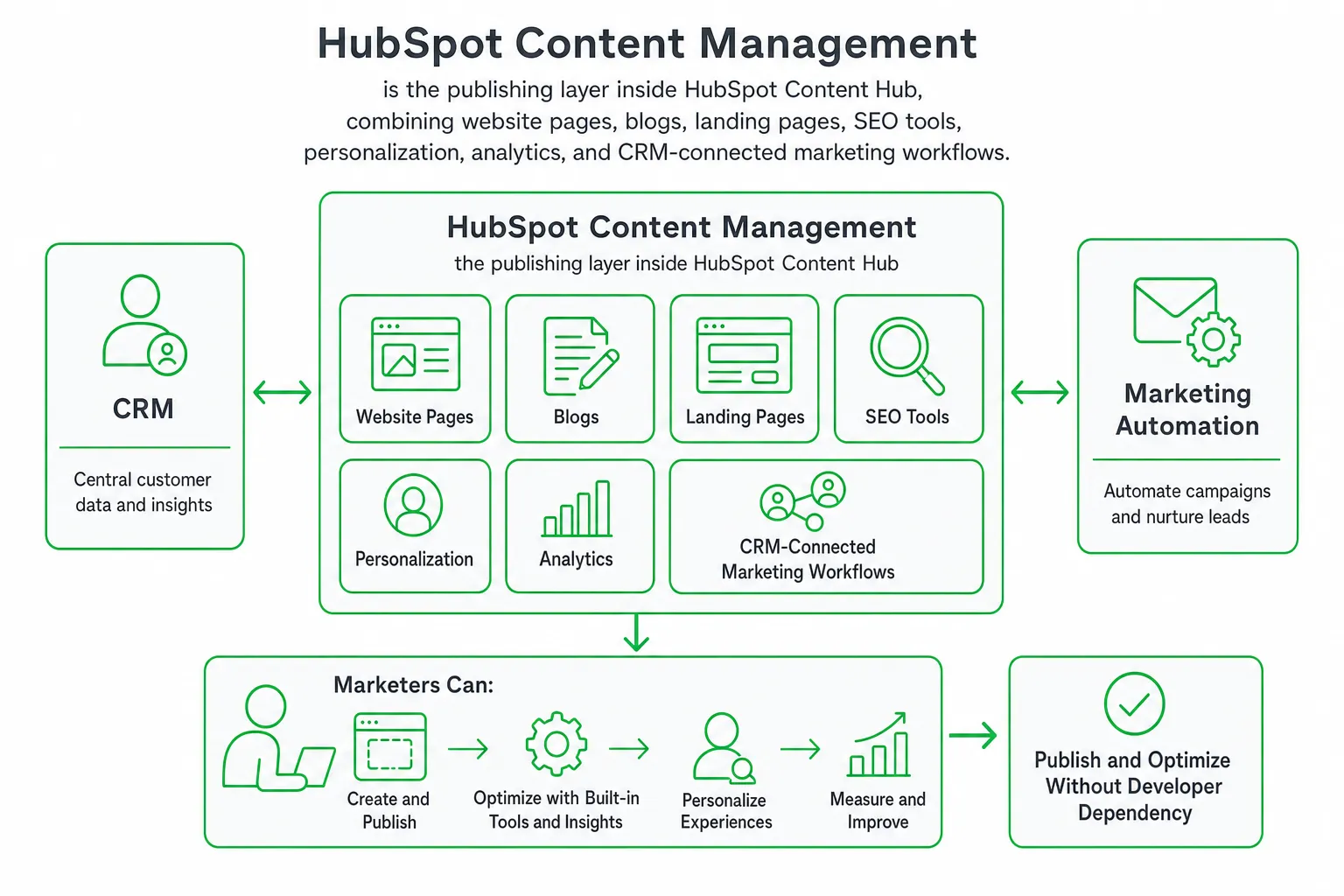
HubSpot content management is the publishing layer inside HubSpot Content Hub. It combines website pages, blogs, landing pages, SEO tools, personalization, analytics, and CRM-connected marketing workflows in one platform.
Choose it when you want marketers to publish and optimize content without depending on developers for every change. Compare alternatives when you need deeper engineering control, a more specialized CMS, or lower long-term platform complexity.
Key takeaways
- HubSpot Content Hub connects publishing, CRM data, personalization, and marketing automation.
- Free and Starter suit smaller operations, while Professional and Enterprise unlock more advanced content capabilities and capacity.
- Professional starts at $450 per month and Enterprise starts at $1,500 per month, so plan limits matter before you buy.
- WordPress, Webflow, and headless CMS platforms can be better fits when flexibility or developer control outranks an all-in-one workspace.
What is HubSpot content management?
HubSpot content management is the website, blog, landing-page, SEO, personalization, and content-creation layer of HubSpot Content Hub. It connects those publishing tools to HubSpot’s CRM, forms, audience data, and marketing automation.
That connection changes how you work. You can create a landing page, add a conversion path, personalize an experience, and measure the result without stitching together several separate systems.
HubSpot suits marketing-led teams that want a friendly editor and a connected customer record. You can build pages, manage blog content, optimize search visibility, and route conversions into follow-up workflows from the same broader environment.
Choose an alternative when you need complete control over hosting and code, a highly composable architecture, or a publishing system that does not require you to adopt a wider marketing suite.
What HubSpot Content Hub includes
Content Hub provides the core building blocks for a connected web presence:
- Website pages: Create landing pages, campaign pages, resource pages, and core website sections.
- Blogs: Organize articles with authors, tags, templates, and publishing workflows.
- SEO tools: Get guidance for page structure, metadata, linking, and search optimization.
- Templates and themes: Give marketers reusable layouts while allowing developers to create custom themes and modules.
- Forms and conversion paths: Turn content visits into known contacts and marketing actions.
- Analytics: Connect content activity with traffic, engagement, and conversion reporting.
AI-assisted features can help you draft, repurpose, personalize, and optimize content. CRM integration can then support audience targeting and follow-up workflows.
Do you need experimentation or richer content formats? HubSpot lists A/B testing, smart content for pages, memberships, content remix, podcasts, and video creation and editing as Professional-tier capabilities. HubSpot Content Hub pricing
Developers are not locked out. They can extend the standard editor with custom themes, modules, integrations, and structured content. That gives your team a marketer-friendly workflow without forcing every site requirement into a drag-and-drop block.
HubSpot Content Hub plans, seats, credits, and limits
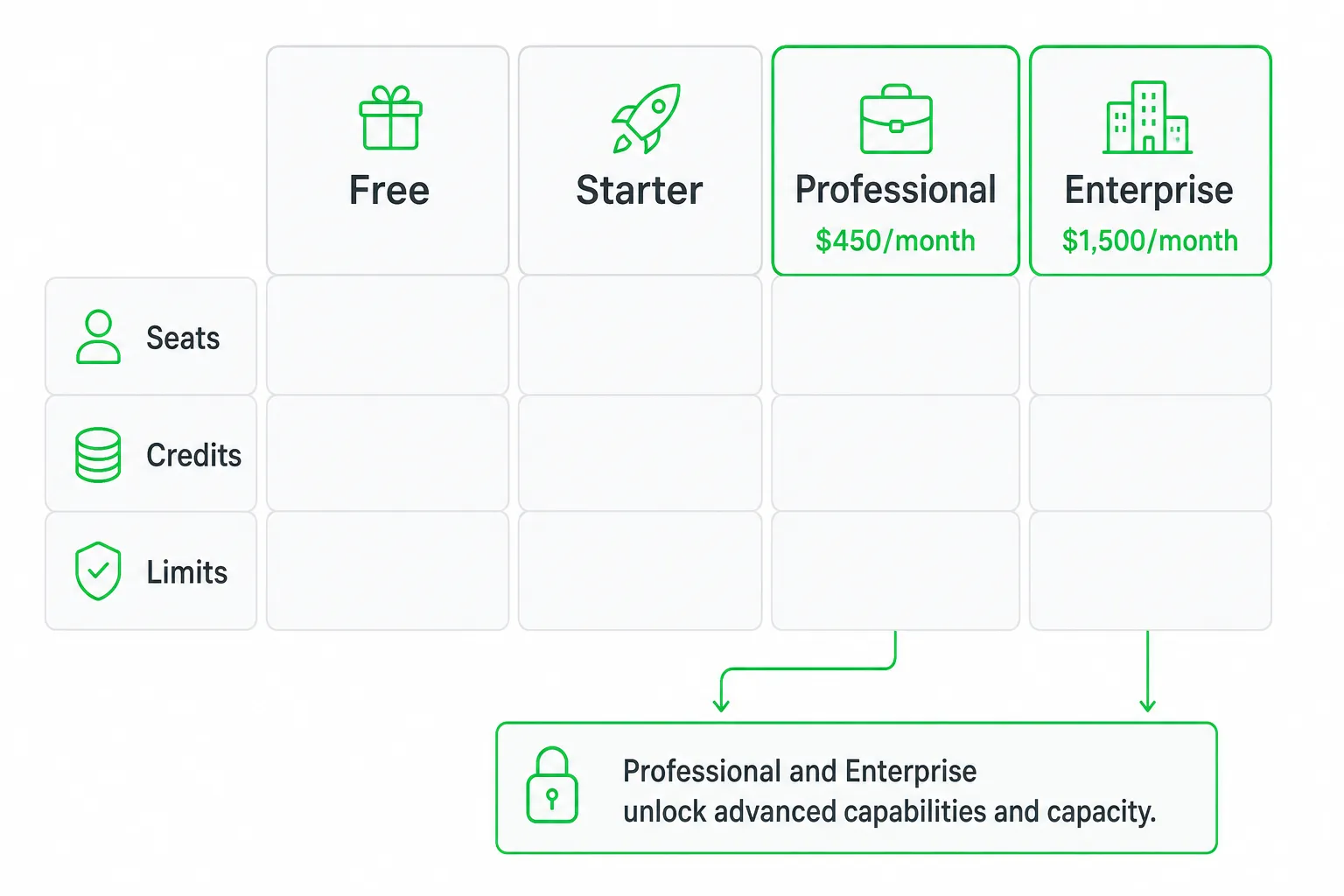
Price is where many HubSpot Content Hub comparisons become too vague. Your decision depends on more than the editor. Check included seats, HubSpot Credits, billing terms, blogs, posts, authors, tags, and the capabilities reserved for higher tiers.
| Plan | Published pricing and access | Content capacity or positioning |
|---|---|---|
| Free | Up to 2 users at $0/month, with no credit card required. HubSpot Content Hub pricing | Includes one blog on the same subdomain as the website, up to 100 blog posts, 20 authors, and 50 tags. HubSpot Content Hub pricing |
| Starter | $7 per seat per month with annual billing, compared with $20 per seat per month with monthly billing. HubSpot Content Hub pricing | Best suited to a lean publishing operation that wants costs tied to seats. |
| Professional | Starts at $450 per month, includes 3 core seats, and includes 3,000 HubSpot Credits. HubSpot Content Hub pricing | Includes up to 100 blogs on unlimited subdomains, up to 10,000 blog posts, up to 2,000 authors, and up to 5,000 tags. HubSpot Content Hub pricing |
| Enterprise | Starts at $1,500 per month, includes 5 core seats, and includes 5,000 HubSpot Credits. HubSpot Content Hub pricing | Designed for larger, more governed content operations. Confirm custom limits and add-ons with HubSpot. |
Those limits make the plan decision clearer. Free can validate the editor and support a small website. Starter keeps the basic publishing model but makes seat planning central. Professional is the serious evaluation point for teams that need experimentation, personalization, content repurposing, and expanded publishing capacity.
Enterprise is for organizations that need more governance, administrative control, and operational complexity. Ask for a plan review if your buying case depends on custom permissions, multiple teams, or add-ons.
Which HubSpot plan fits your content operation?
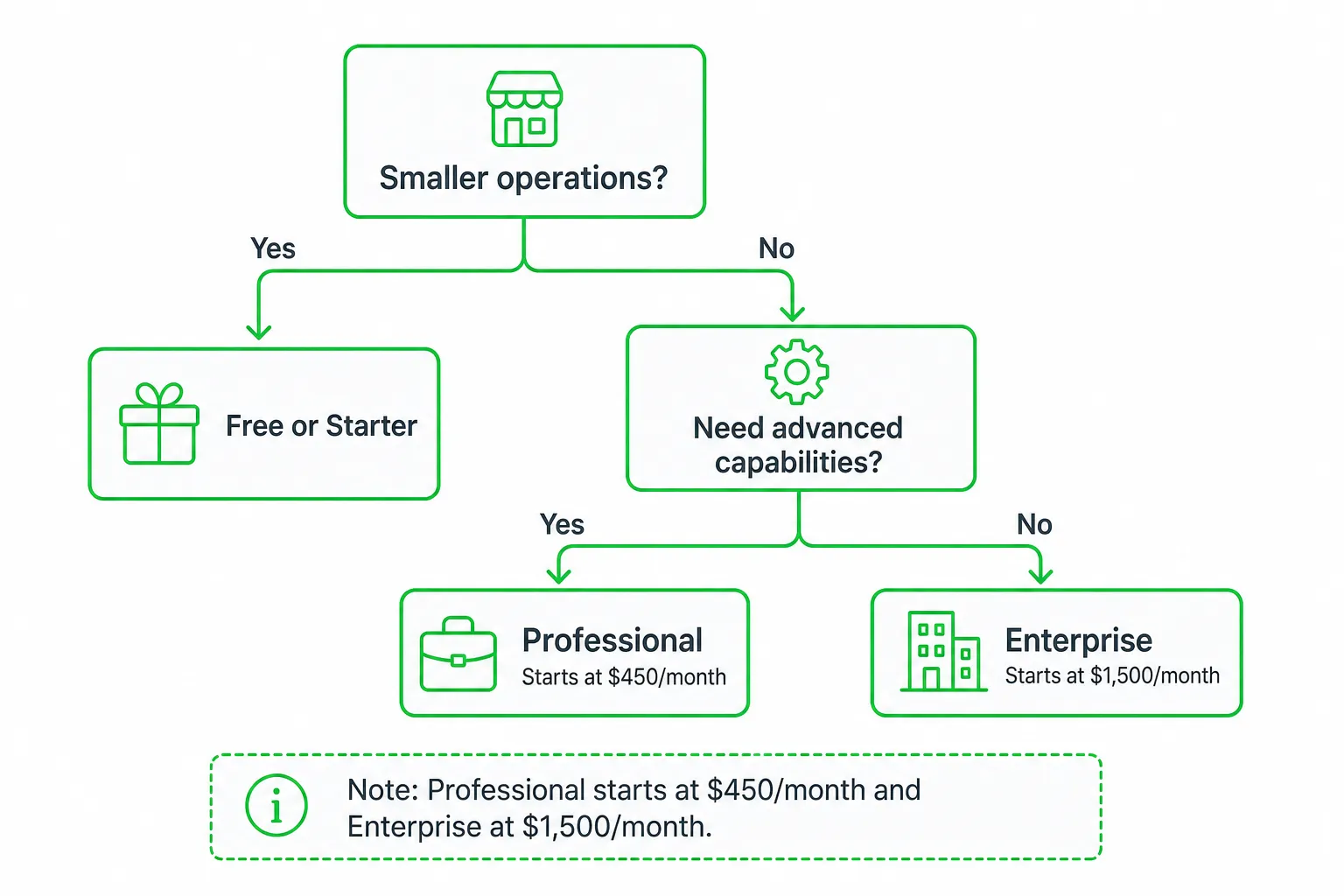
Meet Free: Validate the workflow
Pick Free when you are testing the editor, launching a simple website, or publishing a small blog with a very small team. Check branding, feature, domain, and usage restrictions before treating it as your permanent CMS.
Meet Starter: Keep publishing lean
Pick Starter when you need a more capable publishing workflow but do not need the advanced experimentation and personalization associated with Professional. Compare the monthly and annual billing options against your expected number of seats.
Meet Professional: Run an active marketing operation
Pick Professional when your team needs A/B testing, smart content, memberships, content remix, podcasts, or video creation and editing. Its included seats, credits, and higher content limits also make it more suitable for a broader publishing program.
Meet Enterprise: Govern a complex content system
Pick Enterprise when multiple teams, permissions, governance, and administrative control matter as much as page creation. Do not buy it solely for a larger content library. Tie the decision to a specific operational requirement.
How to manage content in HubSpot
Good HubSpot content management starts before you open the page editor. Build the system around how your team plans, approves, publishes, and improves content.
- Map your content model. Define site sections, blog categories, authors, reusable components, conversion paths, permissions, and the CRM data that should influence each experience.
- Build the foundation. Select a theme or create a custom one. Connect your domain, configure navigation, and establish consistent page and blog components.
- Create for search and people. Research the topic, match the search intent, write a clear page title, add descriptive metadata, link related pages, use accessible media, and place a relevant call to action.
- Review before publishing. Check content accuracy, links, mobile layouts, forms, permissions, and conversion paths. Keep the workflow visible so a draft does not become an accidental live page.
- Measure and improve. Monitor traffic, engagement, conversions, search visibility, and content decay. Update pages that already have potential instead of publishing endlessly without feedback.
Use HubSpot’s CRM connection thoughtfully. Personalization should help a visitor find the next useful step, not create a confusing experience based on incomplete data.
HubSpot alternatives for content management
No CMS wins every evaluation. Match the alternative to the part of HubSpot you value most, then identify what you would need to replace.
| Alternative | Choose it when | Trade-off |
|---|---|---|
| WordPress | You want a broad ecosystem, extensive customization, and the freedom to assemble hosting, plugins, analytics, and marketing tools. | You own more of the integration, maintenance, security, and tool-selection work. |
| Webflow | Visual design control and a polished marketing-site workflow matter more than deeply integrated CRM operations. | You may need separate tools for CRM, advanced automation, and some content workflows. |
| Contentful or Sanity | Developers need structured content delivered to several front ends, applications, or channels. | You must build or connect more of the editorial, marketing, preview, and analytics experience. |
| Another all-in-one platform | You want predictable packaging, a different automation ecosystem, or less platform complexity. | Migration and content transfer can take planning, especially when CRM data and workflows are involved. |
Use WordPress for maximum ecosystem flexibility. Use Webflow for a design-led marketing site. Use a headless CMS for structured, developer-controlled delivery. Stay with HubSpot when a connected CRM and marketing workspace outweigh those trade-offs.
HubSpot content management: pros, cons, and next steps
Pros: You get a unified marketing workspace, marketer-friendly publishing, CRM-connected personalization, built-in optimization workflows, and fewer disconnected tools to maintain.
Cons: Capabilities depend on the plan. Seats and HubSpot Credits affect the commercial decision. Migration can be significant, and a highly customized open-source or headless stack may give developers more freedom.
Before buying, audit your existing content. Estimate authors and publishing volume. Identify every Professional or Enterprise requirement. Test the editing experience with a real page. Then compare the full stack cost with at least one alternative, including hosting, plugins, integrations, analytics, maintenance, and migration work.
If you use HubSpot but want to reduce the manual SEO workload, OneUp Today can automate SEO articles and rank tracking or publish blog posts on autopilot. It creates on-brand drafts with diagrams and schema, publishes on a schedule, and monitors rankings on Google and Bing. At OneUp Today, the DM generator also blocks 23 corporate buzzwords with a hard validator because prompting the model to avoid them was not enough. OneUp Today’s own data
Next step: List the pages, authors, workflows, content limits, and Professional or Enterprise capabilities you actually need. Test that list against HubSpot, WordPress, Webflow, and one headless CMS before choosing your content stack.
Frequently asked questions
Does HubSpot content management include SEO tools?
Yes, HubSpot Content Hub includes built-in SEO tools. These provide guidance for page structure, metadata, linking, and search optimization, all within the same platform where you create and publish content.
Can I use HubSpot content management without a developer?
Yes, marketers can publish and optimize content without developers using HubSpot's drag-and-drop editor. However, developers can still extend functionality with custom themes, modules, and integrations when needed.
What is the difference between HubSpot Free and Starter for content management?
HubSpot Free allows up to 2 users with one blog and 100 posts, while Starter costs $7 per seat per month and adds more advanced features. Both suit smaller operations, but Starter offers better scalability.
Does HubSpot content management support A/B testing?
Yes, A/B testing is available in HubSpot Content Hub, but it requires a Professional or Enterprise plan. This feature allows you to test different page versions to optimize conversions.
How much does HubSpot Content Hub Professional cost per month?
HubSpot Content Hub Professional starts at $450 per month. This tier unlocks advanced capabilities like A/B testing, smart content, memberships, and content remix, along with higher capacity limits.