
Squirrly SEO Plugin Alternatives for Content Teams
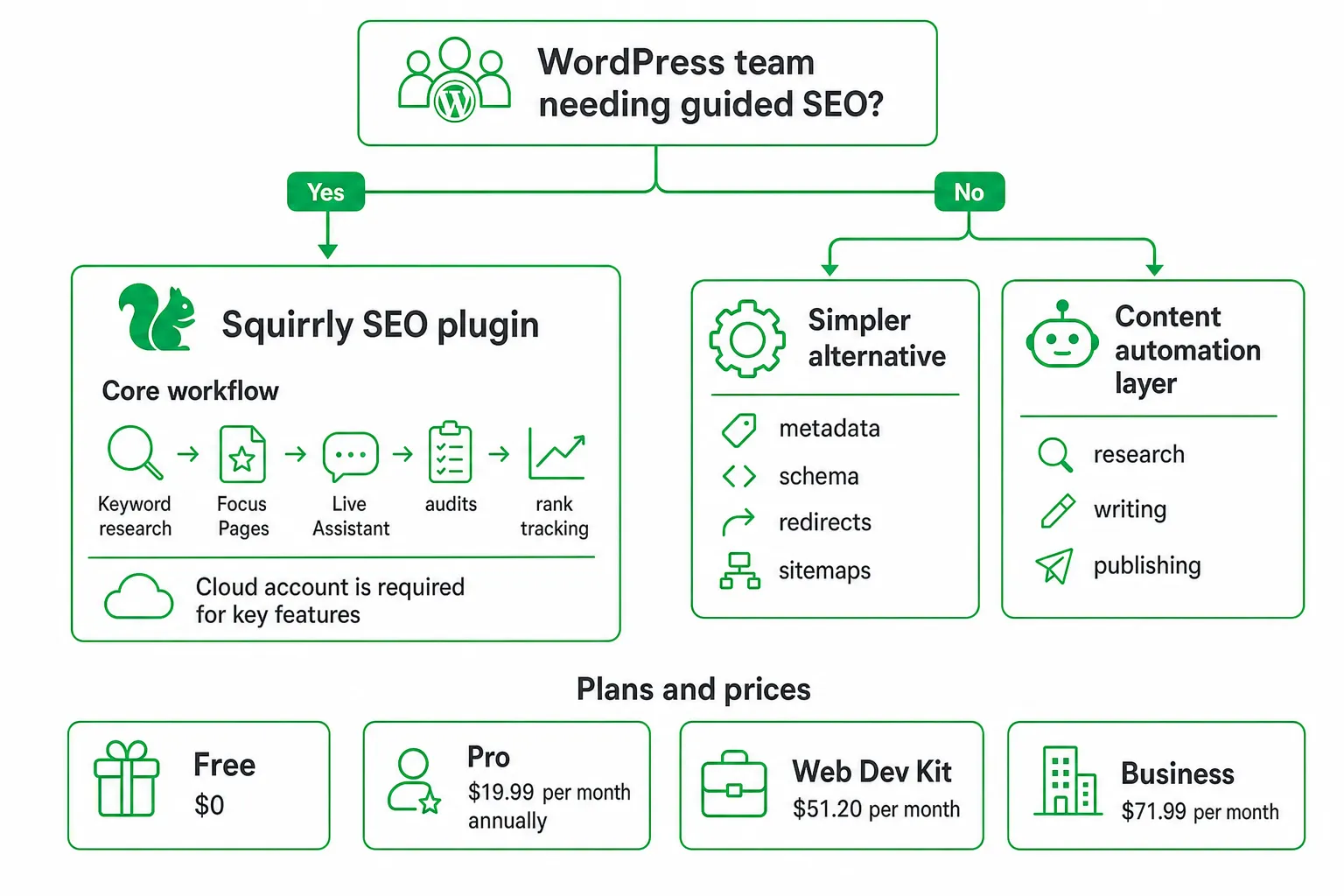
Key takeaways
- Squirrly SEO is a strong fit for WordPress teams that want guided keyword research, Focus Pages, audits, and content optimization.
- The plugin is free to install, but several important features require a connected Squirrly Cloud account.
- Compare plans by site count, Focus Page demand, audit volume, and ranking methodology, not by feature count alone.
- Choose a simpler alternative when you mainly need metadata, schema, redirects, and sitemaps without a guided workflow.
- Choose a content automation layer when your real bottleneck is researching, writing, and publishing optimized articles.
Is the Squirrly SEO plugin right for your team?
The Squirrly SEO plugin is worth considering if your content team works in WordPress and wants guided keyword research, content optimization, technical SEO, audits, and rank tracking in one workflow. It is less attractive when you need only lightweight metadata controls, local-first operation, or exact keyword positions on an entry plan.
That distinction matters because Squirrly is both a WordPress plugin and a connected cloud platform. Your team is not simply choosing another title-and-description editor. You are choosing a workflow built around Focus Pages, coaching-style recommendations, audits, and cloud-powered data.
Use this guide to compare Squirrly with alternatives based on the details that affect daily work:
- Cloud-account requirements.
- Plan limits and site coverage.
- Search Console averages versus exact SERP positions.
- Migration support and compatibility.
- Editorial guidance, collaboration, and publishing automation.
What Squirrly SEO includes
Squirrly’s core workflow is straightforward. Discover a keyword, assign it to a Focus Page, optimize the draft with the Live Assistant, review audits, and monitor results. The system adds recommendations as you work instead of leaving you to interpret a long checklist after publication.
Keyword research: Find topics and terms to target before assigning a page. Focus Pages: Organize optimization around specific pages and search goals. Live Assistant: Apply on-page recommendations while drafting. Audits: Review technical and content issues that may limit performance.
The plugin also covers table-stakes technical SEO. Its documented feature set includes schema, XML sitemaps, redirects, internal links, SEO automation, and Search Console and Analytics integrations. You can review the full list in the Squirrly SEO Feature Guide.
Its main differentiator is the amount of guidance around those features. Gamified tasks, website audits, GEO audits, keyword research, and AI-oriented optimization give less experienced writers a defined path through SEO work. Experienced SEOs may appreciate the structure, or find it slower than a more direct plugin interface.
Separate the local plugin from the cloud service before you evaluate it. Squirrly says the plugin is free to install, but keyword research, audits, rank tracking, and the Live Assistant require a connected Squirrly Cloud account. The Squirrly SEO Knowledge Base explains that connection requirement.
Squirrly SEO pricing, limits, and plan fit
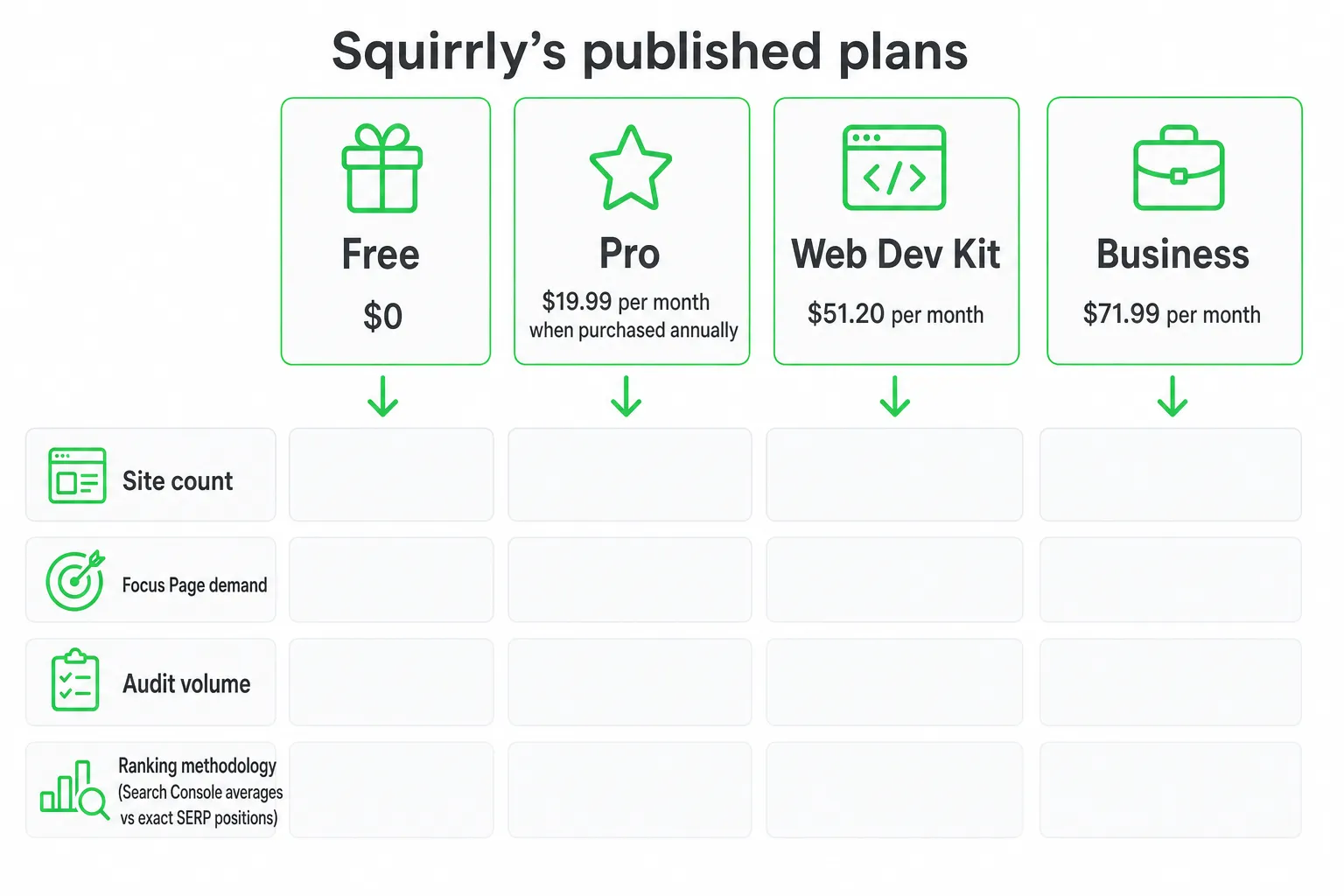
Squirrly’s published pricing includes a free plan, Pro at $19.99 per month when purchased annually, Web Dev Kit at $51.20 per month, and Business at $71.99 per month. Check the current plan details on the Squirrly SEO pricing page before subscribing.
| Plan | Published price | What to examine |
|---|---|---|
| Free | $0 | Useful for testing the plugin, but cloud-powered features and ranking data require close review. |
| Pro | $19.99 per month when purchased annually | Designed for teams that need broader cloud access, but still includes defined usage limits. |
| Web Dev Kit | $51.20 per month | Uses Squirrly’s private SERP checker services for exact keyword positions. |
| Business | $71.99 per month | Uses Squirrly’s private SERP checker services for exact keyword positions. |
Pro deserves a closer look. The published plan includes use on up to 5 sites, 25 Focus Pages per account, 50 AI keyword researches per month, and 100 audit-suite pages per month. Those limits appear on the Squirrly SEO pricing page.
Calculate your fit before you buy. List every site the team manages. Estimate how many pages need Focus Page treatment, how frequently you run audits, and how often writers need keyword research. Then decide whether average ranking data is sufficient for reporting.
The main buying objections are clear. The free plugin is not the same as a free cloud-powered workflow. Plan limits may constrain agencies or larger editorial teams. The cheapest tier may also provide less ranking detail than a team expects.
The buying details most Squirrly comparisons miss
Most comparisons stop at keyword research, audits, gamification, and AI positioning. Your buying decision needs more detail.
Ranking methodology: Squirrly says its free and Pro plans use Google Search Console ranking data, which provides average positions. Business and Web Dev Kit use Squirrly’s private SERP checker services for exact keyword positions. The distinction is documented on the Squirrly SEO pricing page.
Search Console averages are useful for seeing broader performance trends. Exact SERP positions are more actionable when you report movement for a specific keyword, location, or page. Neither model automatically makes a strategy better. The right choice depends on how your team measures progress.
Migration support: Squirrly documents imports from Rank Math, Yoast, All in One SEO, The SEO Framework, SEOPress, SEO Pressor, Add Meta Tags, HeadSpace2, Platinum SEO Pack, SEO Title Tags, and SEO Ultimate on its WordPress.org listing.
That list makes switching more practical, but do not treat an import as a complete migration. Check the actual output on staging. Verify titles, descriptions, canonicals, schema, redirects, sitemap behavior, and internal links before changing the live site.
Operating environment: Confirm your WordPress version, PHP version, theme, page builder, caching setup, existing SEO plugins, analytics connections, and redirect tools. Also confirm that every contributor understands the Squirrly Cloud requirement.
Practical drawbacks and compatibility checks
Squirrly’s guided workflow can reduce uncertainty for a new writer. It can also add friction for an experienced SEO who already has a preferred brief, optimization checklist, and reporting system.
Ask your team which problem needs solving. If writers do not know what to optimize, Focus Pages and Live Assistant guidance may help. If writers already follow detailed briefs, the extra tasks may feel repetitive.
Cloud dependency is another practical consideration. Installing the plugin and using cloud-powered features are separate steps. A team should understand which data, recommendations, audits, and ranking functions rely on the connected account before standardizing its process.
Compatibility also requires a staging test. The WordPress.org listing reports compatibility with WordPress 5.3 or higher and PHP 7.0 or higher. Verify the current information on the WordPress.org listing before deployment.
- Install Squirrly on staging or a low-risk site.
- Connect the cloud account and test keyword research, the Live Assistant, audits, and rank reporting.
- Compare existing and imported metadata, canonicals, schema, redirects, sitemaps, and internal links.
- Publish a representative page and confirm that analytics and Search Console connections behave as expected.
- Record the team’s real usage against the selected plan limits before rolling the workflow across more sites.
Squirrly SEO alternatives for content teams
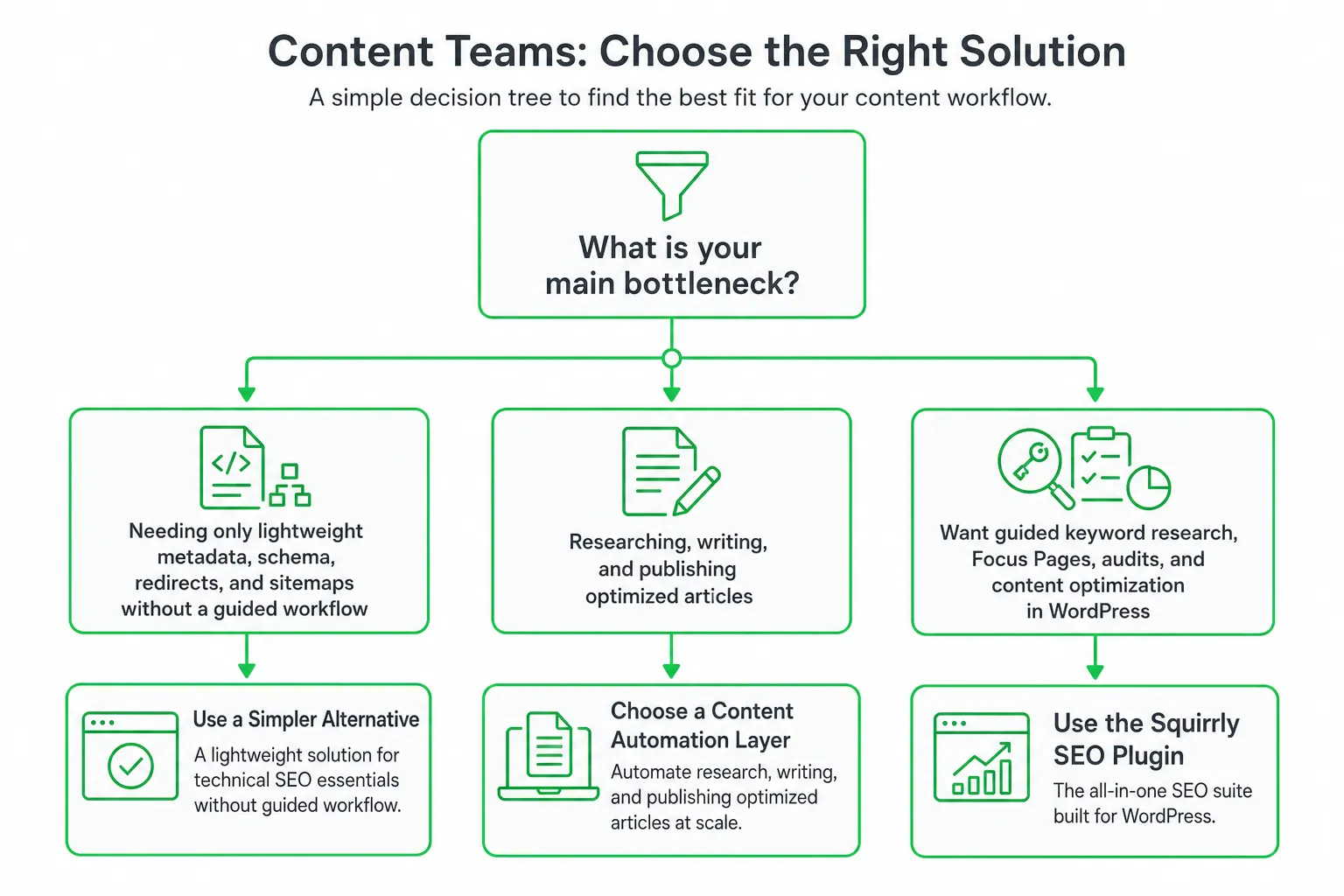
Compare alternatives by workflow, not by the longest feature list. Yoast SEO, Rank Math, SEOPress, The SEO Framework, and Squirrly can all be evaluated against the same questions.
| Option | Best fit | What to investigate |
|---|---|---|
| Squirrly SEO | Teams that want guided keyword workflows, Focus Pages, audits, and GEO-oriented recommendations. | Cloud requirements, plan limits, ranking methodology, and the team’s tolerance for guided tasks. |
| Yoast SEO | Teams that want a familiar WordPress editorial workflow and established technical controls. | Which research, optimization, and reporting features require additional products or services. |
| Rank Math | Teams looking for broad WordPress SEO controls and a feature-rich interface. | Migration behavior, configuration complexity, integrations, and the exact features needed by writers. |
| SEOPress | Teams that prefer a clean WordPress SEO setup with direct control over technical settings. | On-page guidance, schema, redirects, reporting, and collaboration requirements. |
| The SEO Framework | Teams that prioritize a lighter, less intrusive SEO management experience. | Whether its workflow provides enough content guidance and reporting for your editors. |
Choose a simpler WordPress SEO plugin when your team mainly needs metadata, sitemaps, schema, redirects, and clean editorial controls. You may not need a cloud-connected coaching workflow for those jobs.
Choose Squirrly when Focus Pages, guided optimization, keyword research, audits, and GEO-oriented workflows justify the account connection and plan limits. Choose an automation layer when your real constraint is producing and publishing optimized content at a consistent pace.
For that last use case, OneUp Today automates SEO article research, on-brand drafting, diagrams, schema, publishing to WordPress or another stack, and rank tracking across Google and Bing. It can sit alongside a lightweight SEO plugin instead of asking the plugin to handle the entire content operation.
Recommendation: how to choose and get started
Start with Squirrly’s free installation on staging or a low-risk site. Connect the cloud account only after your team accepts the data and workflow requirements. Test one representative article from research through reporting.
Upgrade only when your actual usage requires more keyword research, audit volume, sites, Focus Pages, or exact-position reporting. Do not upgrade because a comparison page lists more features.
Use this decision checklist:
- Choose Squirrly: You want guided WordPress optimization, Focus Pages, audits, and coaching-style recommendations.
- Choose an alternative: You mainly need simple, local-first metadata, schema, redirects, and sitemap management.
- Choose an automation layer: Your bottleneck is researching, drafting, optimizing, and publishing content.
- Test before migration: Verify imported data, rendered markup, redirects, analytics, and ranking reports on staging.
Next step: Pick one existing article, run it through Squirrly and your preferred alternative, then compare the time required, the recommendations produced, and the report your team can actually use.
Frequently asked questions
Is the Squirrly SEO plugin free to use?
Yes, the plugin itself is free to install, but many core features require a paid Squirrly Cloud account. Keyword research, audits, rank tracking, and the Live Assistant only work with that cloud connection, so budget for a subscription if you need the guided workflow.
Can I use Squirrly SEO without creating a Squirrly account?
No, you cannot access its main features without a Squirrly Cloud account. The plugin installs for free, but keyword research, audits, rank tracking, and the Live Assistant all depend on that connected account, so a standalone local-only setup is not supported.
How many websites can I use Squirrly SEO on?
It depends on your plan. The published Pro plan covers up to 5 sites, while the Web Dev Kit and Business tiers support more. Check the current pricing page before subscribing, because site limits are one of the main differences between tiers.
Does Squirrly SEO show exact Google keyword positions?
Only on higher plans. The Pro plan relies on Search Console averages, while the Web Dev Kit and Business plans use Squirrly's private SERP checker services for exact keyword positions. If precise rankings matter, you need one of those higher tiers.
What is a Focus Page in Squirrly SEO?
A Focus Page is a specific page you assign a target keyword to so Squirrly can optimize it. The Live Assistant then gives on-page recommendations while you draft, and the plan limits how many Focus Pages you can track at once.