
Yoast SEO Premium vs AI SEO Automation
Key takeaways
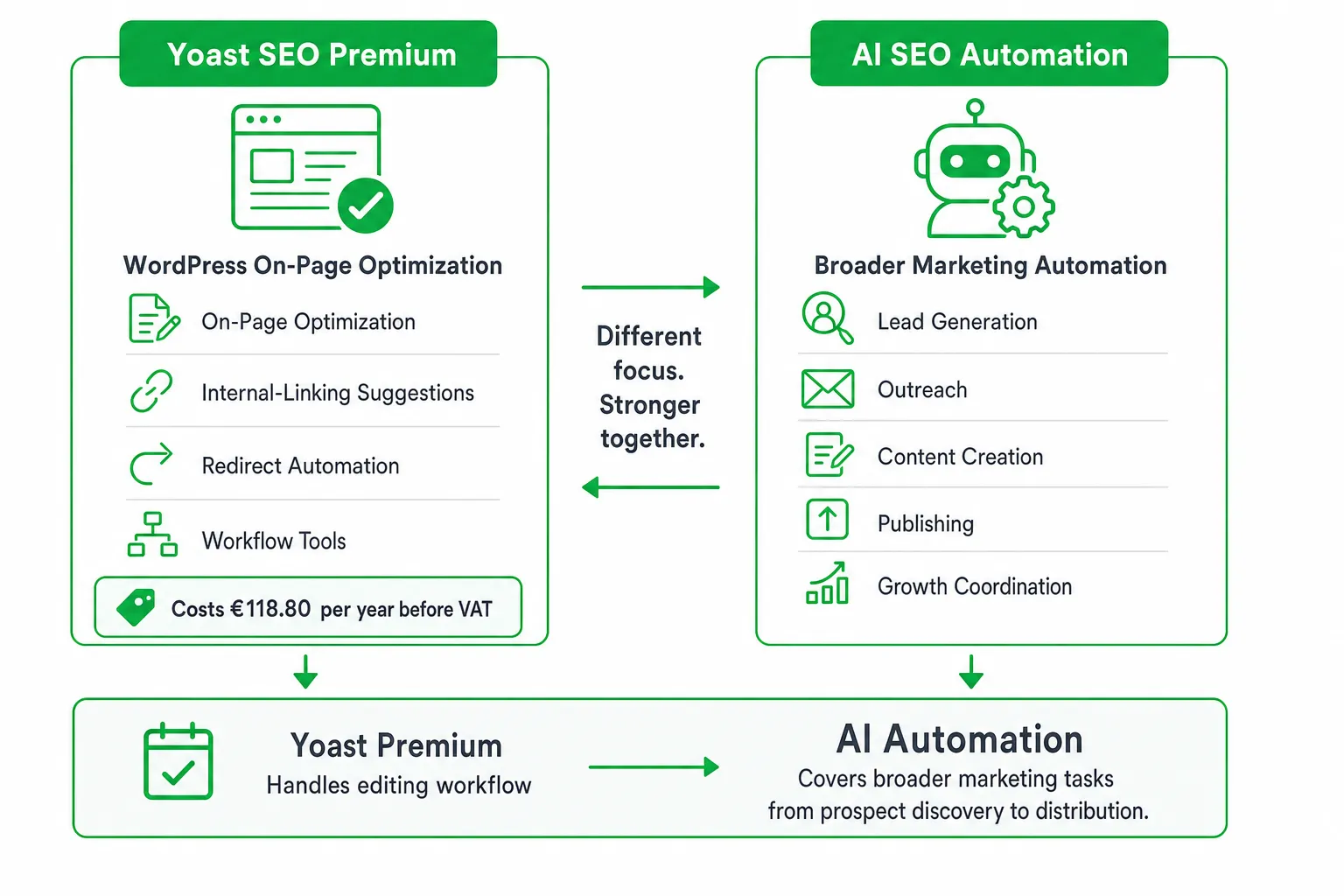
- Choose Yoast SEO Premium if you run WordPress and need guided on-page optimization, internal-link suggestions, redirects, and SEO workflow tools.
- Choose AI marketing automation if your bottleneck is finding leads, starting conversations, creating content, publishing, and coordinating growth work.
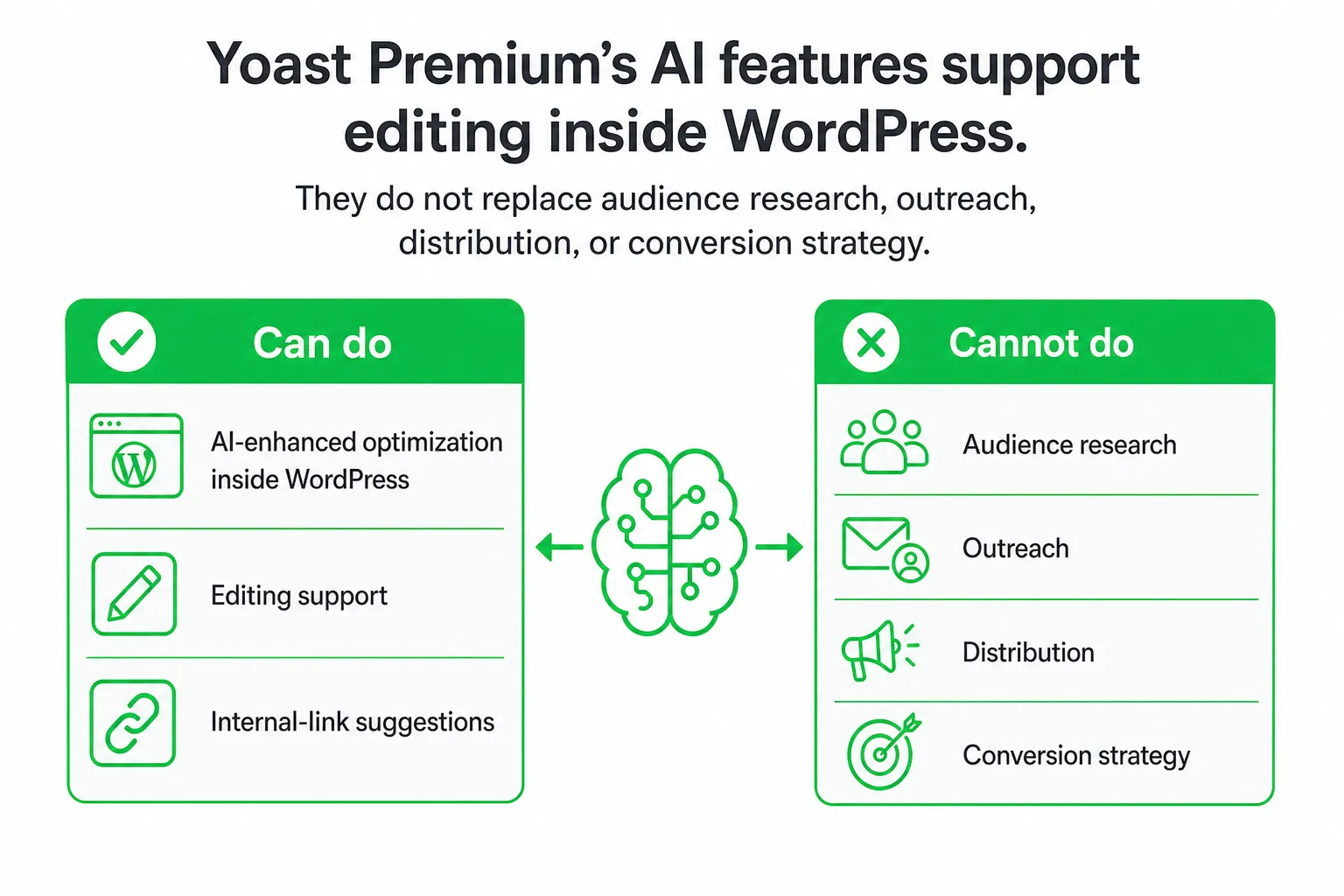
- Yoast Premium’s AI features support editing inside WordPress. They do not replace audience research, outreach, distribution, or conversion strategy.
- For a small team, compare the tools by the job you need automated, not by the size of each feature checklist.
Is Yoast SEO Premium worth it? The short answer
Yoast SEO Premium is worth considering if you run WordPress, want guided on-page optimization, and will actively use its internal-linking, redirect, workflow, and AI features. It is less compelling when you need an end-to-end system for lead generation, outreach, content production, publishing, and SEO automation.
The practical choice is simple: use Yoast Premium for hands-on WordPress SEO. Choose a broader AI marketing system when you want help moving from prospect discovery to approved outreach and published content.
That distinction matters because a strong SEO plugin solves a specific part of marketing. It can improve how your pages are optimized. It does not automatically find people asking for your product, draft a relevant reply in your voice, or coordinate distribution across multiple channels.
What Yoast SEO Premium includes
Yoast SEO Premium is a WordPress SEO plugin built around the editing and maintenance workflow. You use it while creating pages, updating posts, managing redirects, and reviewing how your site handles search optimization.
The current Premium plan includes AI-enhanced optimization, internal-linking suggestions, redirect automation, advanced SEO workflow tools, Yoast SEO Academy access, and 24/7 support, according to Yoast Plans and Pricing.
The official price is €118.80 per year before VAT, as listed on Yoast Plans and Pricing. Yoast also says a Google Docs add-on seat is included at no additional cost with Yoast SEO Premium or Yoast WooCommerce SEO, which can help if your content starts outside WordPress.
A typical Premium workflow looks like this:
- Configure a page title and meta description.
- Review keyphrase and readability guidance while editing.
- Use internal-link suggestions to connect relevant pages.
- Set or manage redirects when URLs change.
- Review technical SEO settings before publication.
- Use Academy resources or support when the workflow needs explanation.
That is a focused product experience. Yoast helps you optimize and maintain your WordPress site. It is not a complete demand-generation, outreach, or multi-platform marketing system.
Yoast SEO Free vs Premium: what actually changes
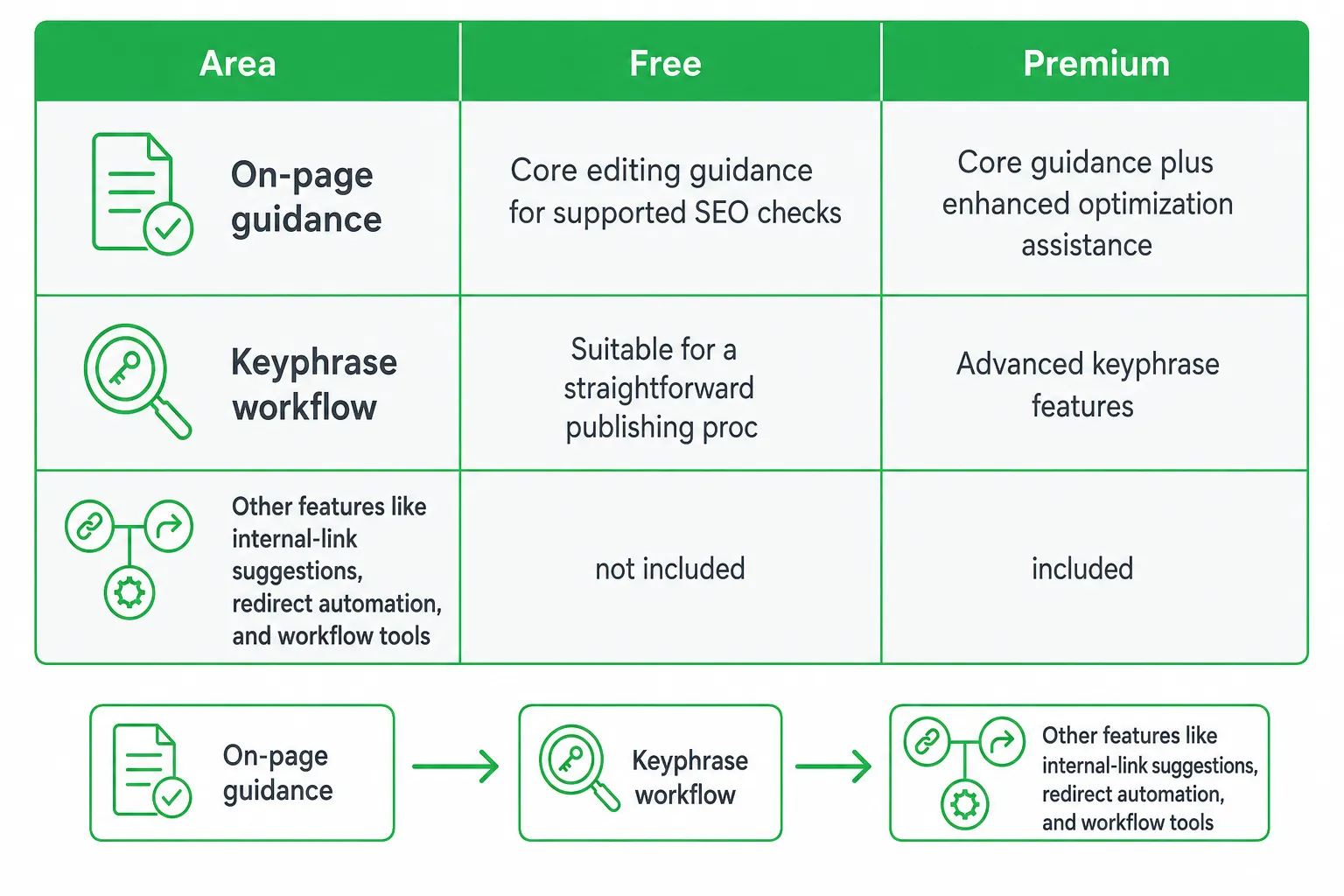
The free plugin may be enough if you publish occasionally, manage a small site, and are comfortable handling some SEO decisions manually. You can still get on-page guidance and build a basic optimization routine without paying for every workflow feature.
Premium becomes more useful when recurring manual work starts slowing you down. Internal-link suggestions can reduce page-by-page research. Redirect automation can simplify URL changes. Advanced workflow features can make publishing more consistent across a team.
| Area | Free | Premium |
|---|---|---|
| On-page guidance | Core editing guidance for supported SEO checks | Core guidance plus enhanced optimization assistance |
| Keyphrase workflow | Suitable for a straightforward publishing process | More assistance for repeatable optimization work |
| Internal linking | More manual research and selection | Internal-linking suggestions |
| Redirects | More manual management | Redirect automation |
| AI assistance | Premium AI features are not included | AI Generate, AI Optimize, AI Summarize, and AI Bulk Editor |
| Planning and maintenance | Basic workflow | Content Planner and Bot Blocker, plus broader workflow tools |
| Learning and support | Free resources and the support available to free users | Yoast SEO Academy access and 24/7 support |
Yoast’s feature comparison lists AI Generate, AI Optimize, AI Summarize, AI Bulk Editor, Content Planner, and Bot Blocker as Premium features, while the free plan does not include them. See Yoast: SEO built for the age of AI for the current comparison.
Use a practical upgrade test: identify the Premium feature you would use every week. If it saves recurring editorial or technical work, the upgrade may make sense. If you simply want the paid version because it looks more complete, keep the free workflow and measure the bottleneck first.
The current gap: AI limits, plan boundaries, and exact entitlements
Typical Yoast reviews often stop at “Premium adds AI.” That is not enough for a buying decision. You need to understand the usage limits, the difference between plans, and where the plugin stops.
Yoast SEO Premium AI features are limited to 10 requests per minute, 5 token requests per hour, 100 requests per day, and 3,000 requests per month for each individual WordPress site, according to Yoast AI feature rate limits.
For occasional editing, these limits may fit comfortably. You might generate a title, improve a passage, summarize a page, and continue editing. For a high-volume publishing workflow, however, you should treat the limits as an operating constraint rather than assuming AI assistance is unlimited.
Also separate Yoast SEO Premium from Yoast WooCommerce SEO. Premium is the general WordPress SEO plan. WooCommerce SEO is the product-specific option for store optimization. If you run an online shop, compare the official plans before choosing based on the word “Premium” alone.
The broader distinction is even more useful. Yoast improves SEO work inside WordPress. OneUp Today combines Reddit lead generation, lead scoring, AI outreach, content creation, publishing, SEO autopilot, blog autopilot, and website chat for SaaS founders, indie hackers, and small teams. The two products address different bottlenecks.
What Yoast’s AI tools can and cannot do
Start with AI Generate when a page needs stronger search snippets. Ask it for title and meta-description ideas, review the suggestions, edit them for accuracy and positioning, and publish only the copy you approve. Yoast says its title and meta-description generator can provide 5 additional suggestions after the initial options are shown. The instructions are available in How to use AI Generate.
AI Optimize is narrower than a general writing assistant. It currently supports checks including:
- Keyphrase use in the introduction.
- Keyphrase density.
- Keyphrase distribution.
- Paragraph length.
- Sentence length.
These checks can help you spot mechanical optimization issues. They cannot decide whether your target query reflects real buying intent, whether your example is credible, or whether your page gives a reader a reason to contact you. Yoast documents the current supported checks in How to use Yoast AI Optimize.
Keep editorial judgment in the loop. AI suggestions are optimization assistance, not a substitute for audience research, original expertise, conversion-focused messaging, or a human review before publication.
That is where a broader workflow differs. Instead of beginning with an existing WordPress draft, OneUp Today can identify high-intent Reddit conversations, draft personalized DMs and replies in your voice, create content, publish across platforms, and keep you in control of every send.
Which option fits your situation?
Choose based on the work you want removed from your week.
| Your main need | Better fit | Why |
|---|---|---|
| Optimize existing WordPress pages | Yoast SEO Premium | Keep titles, content guidance, links, redirects, and SEO settings inside the editor. |
| Maintain redirects and internal links | Yoast SEO Premium | Use specialist WordPress workflow tools rather than building them into a wider marketing process. |
| Find qualified prospects | AI marketing automation | Start with conversations and buying signals instead of waiting for traffic alone. |
| Draft personalized outreach | AI marketing automation | Generate replies and messages around the prospect’s actual problem, with approval before sending. |
| Coordinate content and distribution | AI marketing automation | Connect content creation, publishing, and growth work across channels. |
| Need both on-site SEO and demand generation | Use both | Let Yoast handle WordPress optimization while the broader system handles discovery, outreach, and distribution. |
Yoast Premium pros: focused WordPress experience, clear on-page guidance, internal-link suggestions, redirect support, education, and specialist support.
Yoast Premium cons: it is not designed to discover leads, manage personalized outreach, publish across every channel, or run your complete marketing operation. Its AI features also have usage limits that you should check against your workflow.
Broader AI automation pros: wider execution across lead discovery, content, outreach, publishing, and growth coordination.
Broader AI automation cons: you still need to define your audience, brand voice, approval rules, and channel strategy. More automation also means more decisions to review.
How to decide and get started
Start by naming your highest-priority job. Do you need to improve existing WordPress pages, publish more content, find qualified leads, automate outreach, or combine these activities?
- Assess the bottleneck: write down the task that repeatedly consumes your time.
- Test the WordPress workflow: if SEO editing is the problem, review Yoast’s free capabilities and identify the Premium feature that would remove manual work.
- Check plan boundaries: review the official plan comparison, confirm compatibility with your site and WooCommerce setup, and verify current AI limits.
- Define your growth workflow: if discovery and outreach are the problem, set your audience, voice, approval rules, and target channels in your AI marketing system.
- Review before execution: approve SEO changes, Reddit replies, DMs, content, and publishing actions before they go live.
Buy Yoast SEO Premium when its WordPress-specific tools solve your bottleneck. Choose broader AI marketing automation when the bottleneck runs from prospect discovery to content to conversion.
Next step: list the one recurring task you want to eliminate, then compare that task against Yoast Premium’s WordPress features and the broader workflow you actually need.
Frequently asked questions
Does Yoast SEO Premium work with WooCommerce?
Yes, Yoast SEO Premium works with WooCommerce. The official price is €118.80 per year before VAT, and a Google Docs add-on seat is included at no additional cost with Yoast SEO Premium or Yoast WooCommerce SEO.
How many websites can I use Yoast SEO Premium on?
Yoast SEO Premium is licensed per website. You need a separate subscription for each WordPress site you manage, though volume discounts may be available for multiple licenses.
Does Yoast SEO Premium include social media integration?
Yoast SEO Premium includes social previews for Open Graph and Twitter Cards, but it does not automate social media posting or scheduling. It focuses on optimizing how your content appears when shared.
Can Yoast SEO Premium improve site speed?
No, Yoast SEO Premium does not directly improve site speed. It focuses on on-page optimization, internal linking, redirects, and workflow tools, not caching, image compression, or performance optimization.