
Tools to Post to Multiple Social Networks
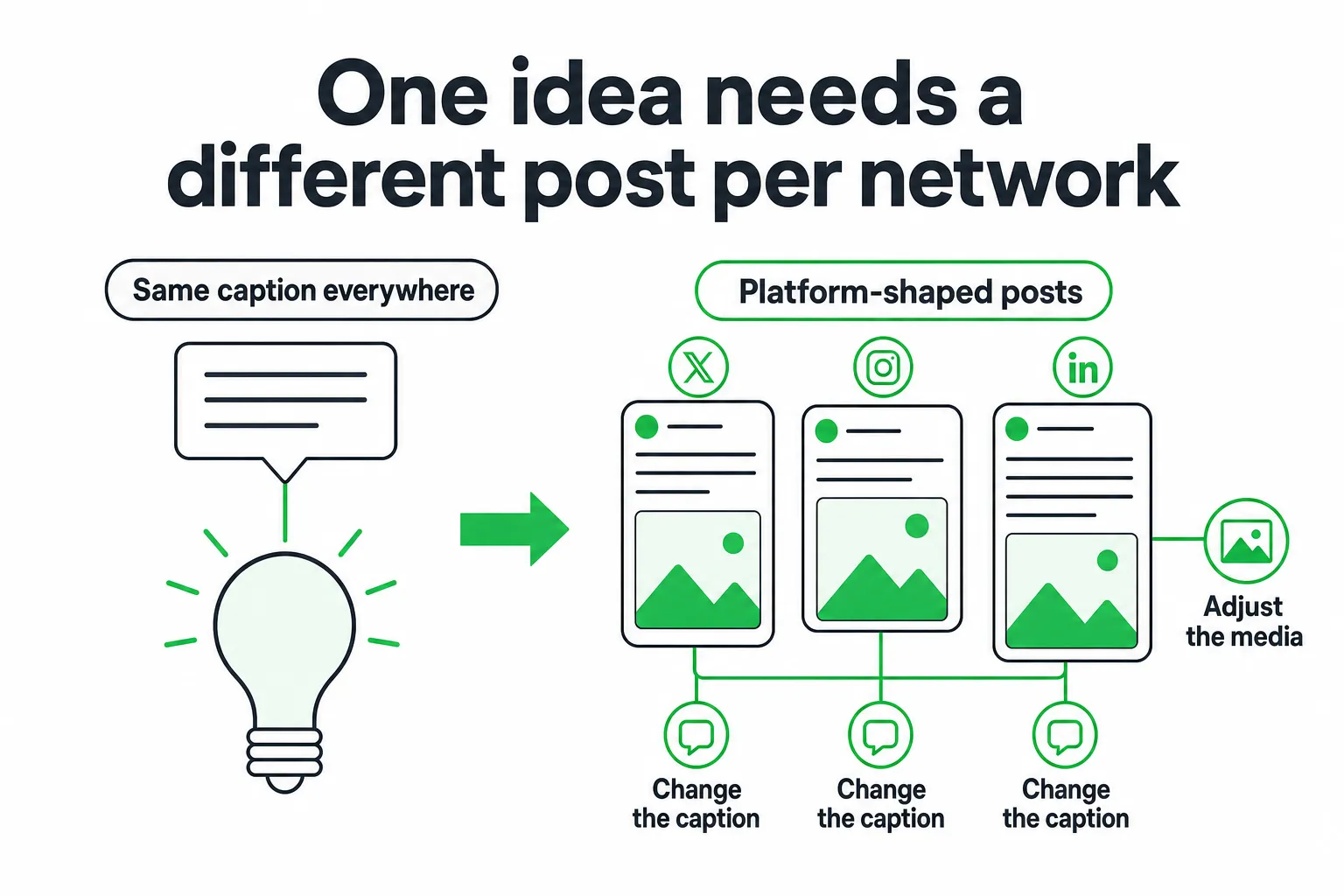
For tools to post to multiple social networks, start with Buffer, Hootsuite, SocialPilot, Sprout Social, Later, Metricool, Publer, Nuelink, or ContentStudio. Choose based on the networks you use, how much platform-specific editing you need, your approval workflow, analytics requirements, and whether you pay by user, channel, brand, post, or usage.
The best tool does more than copy one caption everywhere. It helps you turn one idea into suitable posts, review each version, publish safely, and learn what worked on each network.
Key takeaways
- Use a scheduling-first tool when your priority is calendars, queues, approvals, and reliable publishing.
- Compare direct publishing, platform coverage, media support, analytics, collaboration, and pricing together.
- Look for platform-shaped adaptations, not identical posts duplicated across every feed.
- Keep human approval for brand-sensitive posts, replies, claims, and community conversations.
The Best Tools to Post to Multiple Social Networks
For straightforward scheduling from one dashboard, compare Buffer, Hootsuite, SocialPilot, Sprout Social, Later, Metricool, Publer, Nuelink, and ContentStudio.
Scheduling-first tools: Buffer and SocialPilot suit teams that want accessible calendars, queues, publishing, and basic collaboration. They are good starting points when your main problem is consistency.
Team and reporting platforms: Hootsuite and Sprout Social are better suited to larger workflows that need deeper reporting, permissions, review processes, and broader operational controls.
Visual planning: Later fits teams that plan around images, short-form video, grids, and visual campaigns.
Cross-channel analysis: Metricool emphasizes performance reporting across networks. Publer, Nuelink, and ContentStudio lean toward automation-oriented publishing workflows.
AI publishing: OneUp Today’s Content Agent turns one draft into platform-shaped posts for Reddit, X, Instagram, LinkedIn, Facebook, YouTube, Threads, TikTok, and Google Business Profile. It includes scheduling and recurring slots, with a stated cost of $0.02 per post. OneUp Today FAQ
Choose a general-purpose scheduler when you mainly need a shared calendar, content queues, approvals, publishing, and performance reporting. Choose an AI publishing workflow when rewriting and adapting every post is the bottleneck.
What to Look For in a Multi-Network Publishing Tool
Start with coverage. Check whether the tool supports every network you actively use, along with the correct account types, media formats, videos, carousels, links, and publishing methods.
- Publishing: Compare direct publishing, mobile reminders, browser extensions, content queues, recurring schedules, and bulk import.
- Editing: Check whether you can rewrite captions, change calls to action, adjust hashtags, crop media, and customize each destination.
- Approvals: Look for draft states, approval roles, audit history, saved captions, asset libraries, team permissions, and publishing safeguards.
- Analytics: Check whether reports separate results by network, post format, campaign, and meaningful audience action.
- Pricing: Compare per-user, per-brand, per-channel, post-based, and usage-based models. Check limits on scheduling, analytics, storage, and team members.
Also inspect what happens when a network requires native action. A strong workflow should tell you when to publish directly, when to approve a mobile reminder, and when to finish the post inside the platform itself.
A Current Comparison of Tool Workflows, Coverage, and Value
Broad claims such as “all-in-one” hide the details that affect your daily work. Use the comparison below as a shortlist, then verify the exact plan and network support before buying.
| Tool | Supported networks | Publishing workflow | Platform-specific editing | Approvals and collaboration | Analytics | AI assistance | Pricing model |
|---|---|---|---|---|---|---|---|
| Buffer | Core social networks, plan-dependent | Calendar, queues, scheduling | Available, verify format depth | Team features vary by plan | Cross-channel reporting | Available in selected workflows | Plan and channel based |
| SocialPilot | Broad coverage, plan-dependent | Calendar, queues, bulk workflows | Available, verify destination controls | Useful for team review | Reporting and exports | Available in selected workflows | Plan, user, or channel based |
| Hootsuite | Broad enterprise coverage | Publishing, calendar, campaign workflow | Strong review requirements, verify plan | Strong team controls | Deeper reporting options | Available in selected workflows | Plan and user based |
| Sprout Social | Broad business coverage | Publishing and approval workflow | Designed for controlled review | Strong collaboration tools | Advanced reporting options | Available in selected workflows | Plan and user based |
| Later | Visual-first network coverage | Visual calendar and scheduling | Strong visual planning | Team features vary by plan | Channel reporting | Available in selected workflows | Plan and profile based |
| Metricool | Multi-channel coverage | Calendar and scheduling | Verify network-specific controls | Plan-dependent collaboration | Cross-channel analysis | Available in selected workflows | Plan and brand based |
| Publer | Multi-channel coverage | Queues, automation, scheduling | Verify media and destination controls | Plan-dependent approvals | Reporting options | Available in selected workflows | Plan and account based |
| Nuelink | Multi-channel coverage | Automation and recurring publishing | Verify adaptation depth | Plan-dependent collaboration | Reporting options | Available in selected workflows | Plan and usage based |
| ContentStudio | Multi-channel coverage | Calendar, discovery, publishing | Verify destination controls | Team workflow available | Reporting options | Available in selected workflows | Plan and user based |
| OneUp Today | 9 destinations from one draft | Platform-shaped drafts and scheduling | More than 400 templates trained on your writing style | Human approval workflow | Tracks post performance | Content adaptation | $0.02 per post, with scheduling and recurring slots included |
The comparison shows why your choice depends on workflow fit. Buffer and SocialPilot are sensible for accessible scheduling. Hootsuite and Sprout Social suit broader team and reporting needs. Later works well for visual planning. Metricool supports cross-channel analysis. Publer, Nuelink, and ContentStudio are worth examining when automation matters.
OneUp Today’s Content Agent says it uses more than 400 templates trained on your writing style, turns one draft into platform-shaped posts, and includes scheduling and recurring slots without a separate scheduling subscription. OneUp Today Content Agent
The Gap Most Cross-Posting Roundups Miss
Most cross-posting guides explain how to choose networks, add visuals, and schedule content. They rarely compare how each product adapts one idea for each network.
That distinction matters. A duplicated caption may have the wrong length, tone, link treatment, call to action, or media format for its destination. A useful tool should help you create a short conversational post for a fast-moving feed, a discussion-led version for a community, a professional insight for LinkedIn, and a visual or video-first version for Instagram, TikTok, and YouTube.
Assess each tool against these questions:
- Can you customize captions, character limits, hashtags, mentions, and calls to action by network?
- Can you preview aspect ratios, links, alt text, first comments, and native features before publishing?
- Can you keep a human review step for sensitive claims, replies, and community-facing content?
- Can analytics separate results by network and content format?
- Can you export reports and use them to improve the next version of a post?
Independent datasets show why platform-aware workflows deserve attention. Metricool’s 2025 Social Media Study analyzed more than 1 million accounts and 21 million posts across 8 social networks. Buffer’s 2026 State of Social Media Engagement report analyzed more than 52 million posts.
These studies do not tell you which tool to buy. They do show why copying one identical asset across every channel is an incomplete publishing strategy.
How to Post the Same Idea Without Making Identical Posts
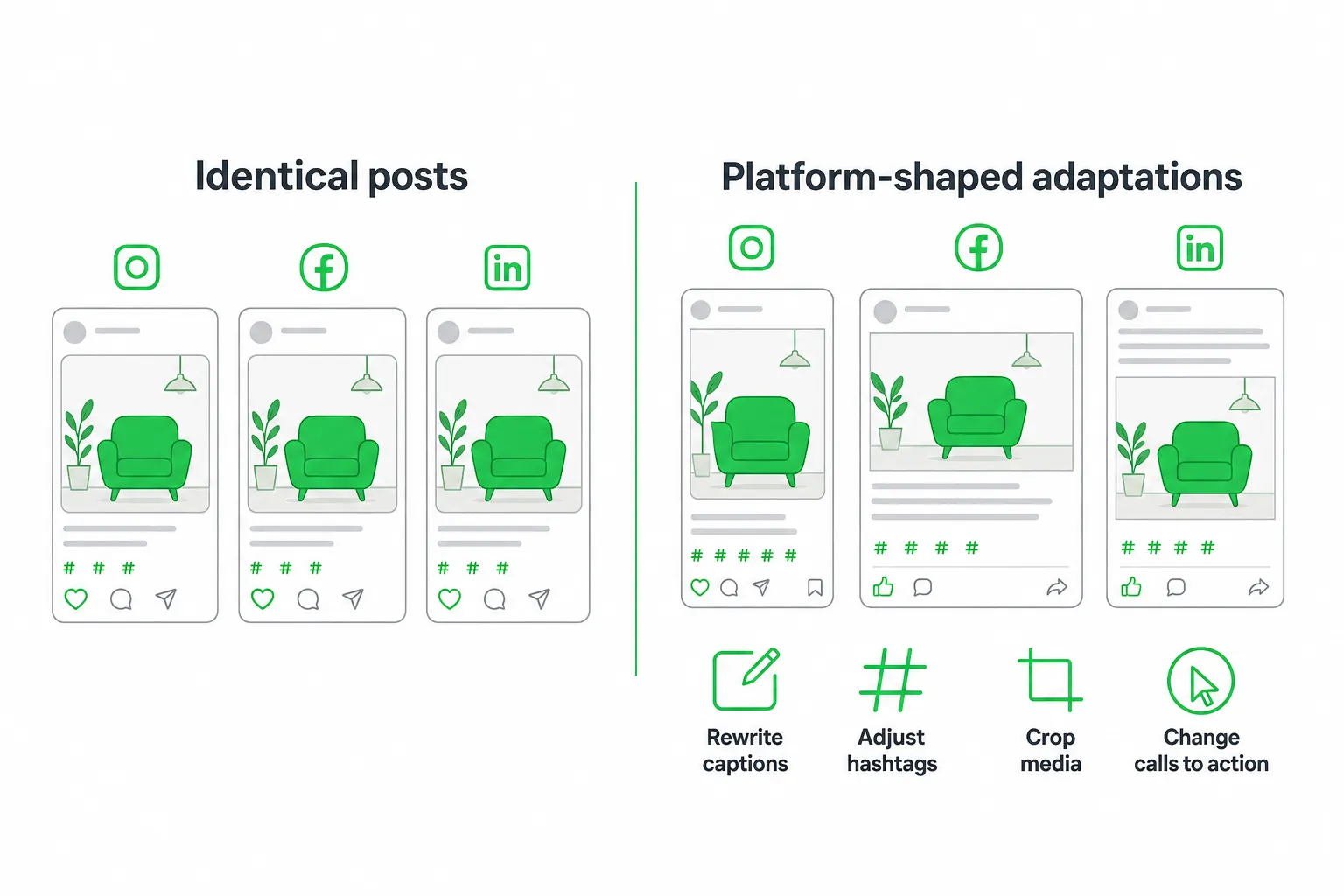
Start with one core idea. Define the audience, desired action, proof point, visual asset, and campaign objective before you open the scheduler.
- Write the source brief: State the problem, key insight, supporting proof, and next action in plain language.
- Create the adaptations: Turn the brief into a concise update for X or Threads, a professional insight for LinkedIn, a discussion prompt for Reddit, and visual or video-first versions for Instagram, TikTok, and YouTube.
- Review every destination: Check tone, formatting, mentions, links, hashtags, accessibility, image proportions, and whether the post adds value on that specific network.
- Schedule with flexibility: Use recurring slots for dependable content, but leave room for real-time posts, replies, and timely conversations.
- Approve sensitive content: Review claims, customer references, product promises, and community replies before anything goes live.
A Repeatable Workflow for Publishing Across Networks
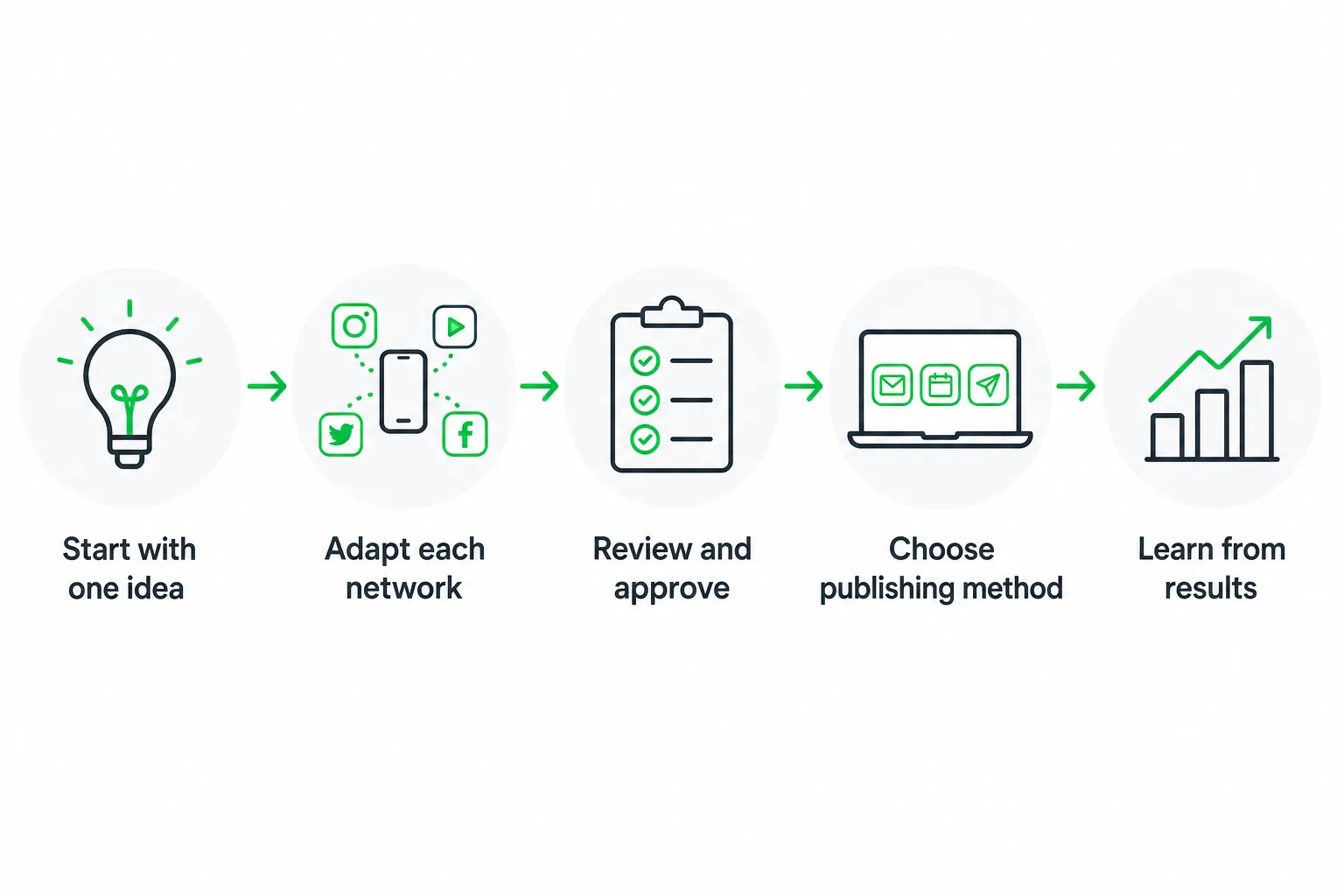
Meet the Calendar Agent: Connect your accounts, define your brand voice and content pillars, then create a shared calendar with recurring slots, campaign tags, and approval owners.
Consistency needs a system. HubSpot’s 2025 Global Social Media Trends Report says 77% of social media marketers use a posting schedule or content calendar to maintain consistency and plan ahead.
Meet the Draft Agent: Write the source idea, generate platform-specific versions, attach the correct assets, preview every destination, and route the content to the right approver.
Meet the Publishing Agent: Publish directly where possible. Use reminders or mobile workflows when a network requires native action. Confirm that the final version matches the approved draft.
Meet the Insights Agent: Monitor comments, mentions, replies, clicks, saves, and conversions. Review performance by network and identify which adaptations earned meaningful engagement.
- Connect accounts and define access permissions.
- Build content pillars and recurring calendar slots.
- Create one source brief for each idea.
- Adapt the idea for each destination.
- Preview media, links, formatting, and accessibility.
- Route posts for approval.
- Publish, monitor, and record lessons for future briefs.
How to Choose and Start With the Right Tool
Pick a scheduling-first platform if your priority is reliable calendars and queues. Pick an analytics-led platform if reporting drives decisions. Pick a collaboration platform if several people review content. Pick an AI publishing workflow if adaptation speed is the bottleneck.
Start with the networks, approval rules, content formats, reporting requirements, and publishing volume you already have. Do not buy the broadest feature list before you know which workflow you need.
For SaaS founders, indie hackers, and small teams, OneUp Today is worth evaluating when you want its Content Agent to adapt and schedule multi-platform content while you retain approval over what goes live. OneUp Today Content Agent
Before committing, run representative posts through each finalist. Verify how edits and approvals work, inspect the analytics you actually need, and calculate the full cost of channels, seats, usage, add-ons, and human review.
Next step: Choose one real campaign and test it in two or three tools. Compare the finished adaptations, approval time, publishing reliability, and reporting quality. The best multi-network publishing tool is the one your team can use consistently without making every platform look the same.
Frequently asked questions
Can I schedule the same post to multiple networks at once with these tools?
Yes, most tools like Buffer and Hootsuite allow bulk scheduling to multiple networks. However, best practice is to customize each post per platform for better engagement, rather than duplicating identical content.
What is the cheapest tool to post to multiple social networks?
Buffer's free plan supports up to three channels, making it a cost-effective starting point. For paid plans, SocialPilot and Publer offer competitive pricing starting around $20-$30 per month for multiple accounts.
Do these tools support posting to Instagram Stories and Reels?
Yes, many tools like Later and Hootsuite support Instagram Stories and Reels scheduling. However, direct publishing to Stories often requires mobile app approval, while Reels may need native posting for full features.
How do I choose between Buffer and Hootsuite for multi-network posting?
Buffer is better for small teams needing simple scheduling and analytics, while Hootsuite suits larger teams requiring advanced reporting, team permissions, and approval workflows. Your choice depends on team size and complexity needs.
Can these tools auto-post to LinkedIn company pages?
Yes, most tools like Hootsuite, Buffer, and Sprout Social support direct publishing to LinkedIn company pages. However, personal LinkedIn profiles may require manual posting or mobile reminders due to API restrictions.