
Best SEO Booster Plugin for Small Teams
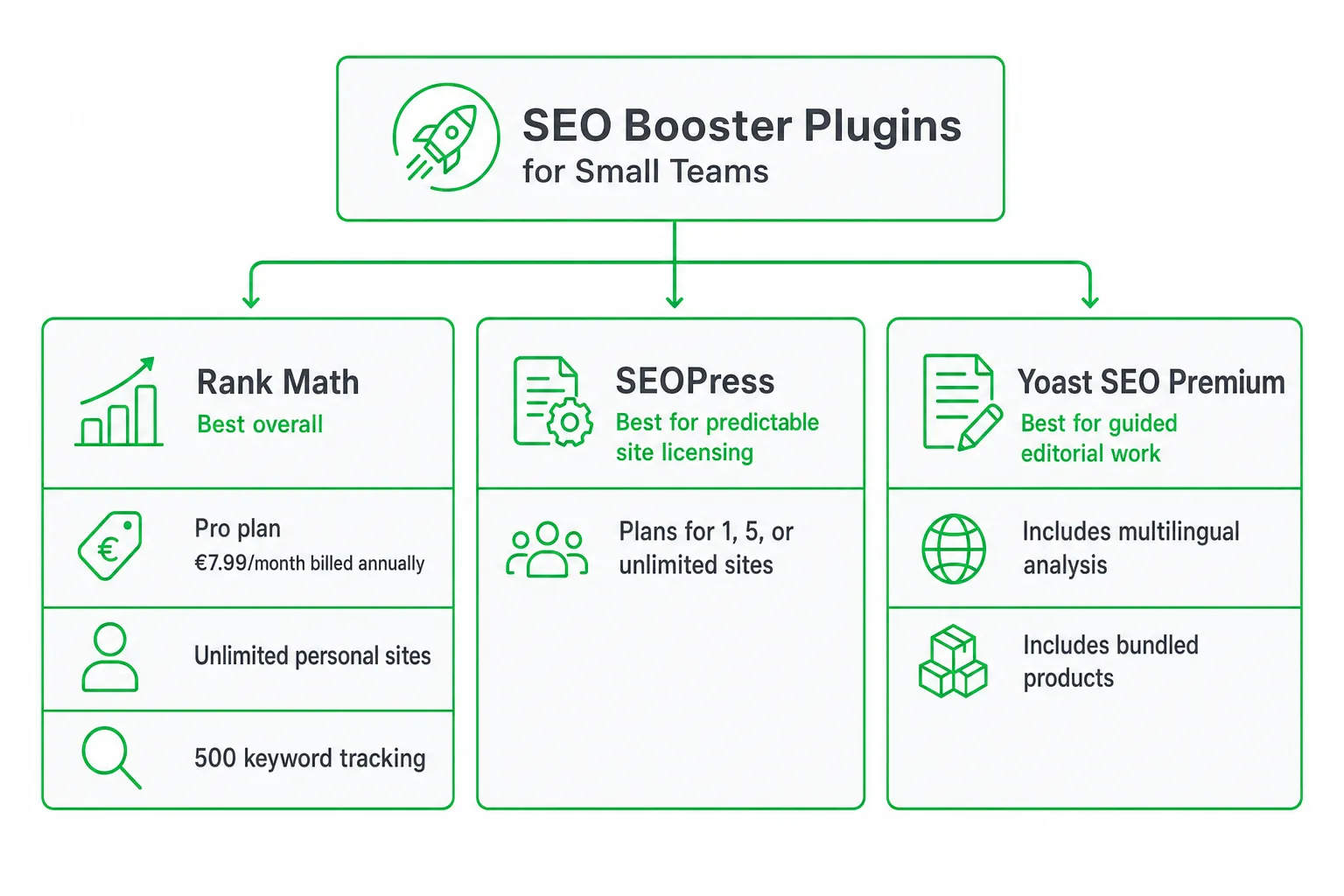
Rank Math is the strongest default SEO booster plugin for a small WordPress team that wants broad SEO controls plus built-in keyword tracking. Choose SEOPress when predictable site licensing matters most, or Yoast SEO Premium when you want guided on-page editing and a familiar editorial workflow.
The right choice depends on more than feature count. Compare renewal terms, site limits, tracking allowances, platform fit, and the work each plugin can actually influence in Google.
Key takeaways
- Choose Rank Math for broad WordPress workflows and built-in tracking for 500 keywords.
- Choose SEOPress for clear one-site, five-site, or unlimited-site licensing.
- Choose Yoast SEO Premium for guided editing, language support, and bundled products.
- Separate plugin settings from hosting, content, development, and outreach work.
The Best SEO Booster Plugin: A Quick Recommendation
Best overall for small WordPress teams: Rank Math. Its Pro plan is listed at €7.99 per month when billed annually, supports unlimited personal websites, and includes tracking for 500 keywords. Check the current terms on Rank Math pricing before buying.
Best for predictable site licensing: SEOPress. Its Pro plans cover one site, up to five sites, or unlimited sites. The feature set includes AI integrations, site audits, local SEO, WooCommerce SEO, schemas, and redirect monitoring. Review the current tiers on SEOPress pricing.
Best for guided editorial work: Yoast SEO Premium. It suits teams that want clear recommendations, multilingual analysis, and a mature content workflow. Its annual price includes several products, so compare the bundle with your actual needs on Yoast SEO Premium.
An SEO booster plugin improves how your website implements SEO. OneUp Today complements that work with SEO autopilot, blog publishing, AI content creation, lead generation, and approval-based outreach.
What an SEO Booster Plugin Should Actually Do
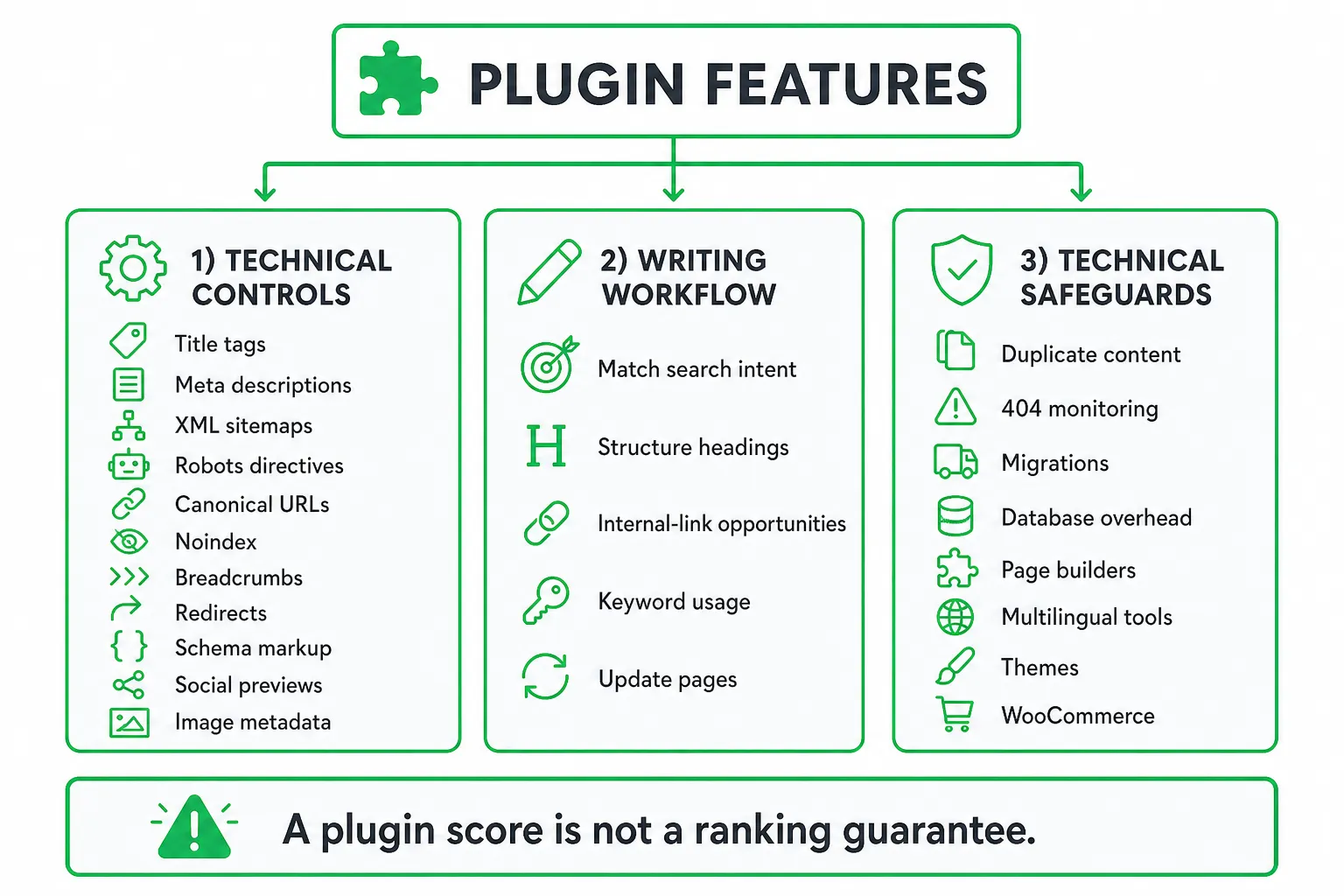
Start with the controls that affect how search engines understand and access your site. A useful WordPress SEO plugin should help you manage:
- Title tags and meta descriptions.
- XML sitemaps and robots directives.
- Canonical URLs and noindex settings.
- Breadcrumbs, redirects, and broken URL handling.
- Schema markup and social previews.
- Image metadata and media SEO.
Then assess the writing workflow. Good tools help you match search intent, structure headings, find internal-link opportunities, review keyword usage, and update pages that have stopped attracting clicks. These recommendations should support editorial judgment, not replace it.
Technical safeguards matter just as much. Check how the plugin handles duplicate content, 404 monitoring, migrations, database overhead, page builders, multilingual tools, themes, and WooCommerce. Test compatibility before you activate overlapping sitemap, schema, redirect, or social metadata features.
WordPress Plugins Versus Shopify SEO Apps
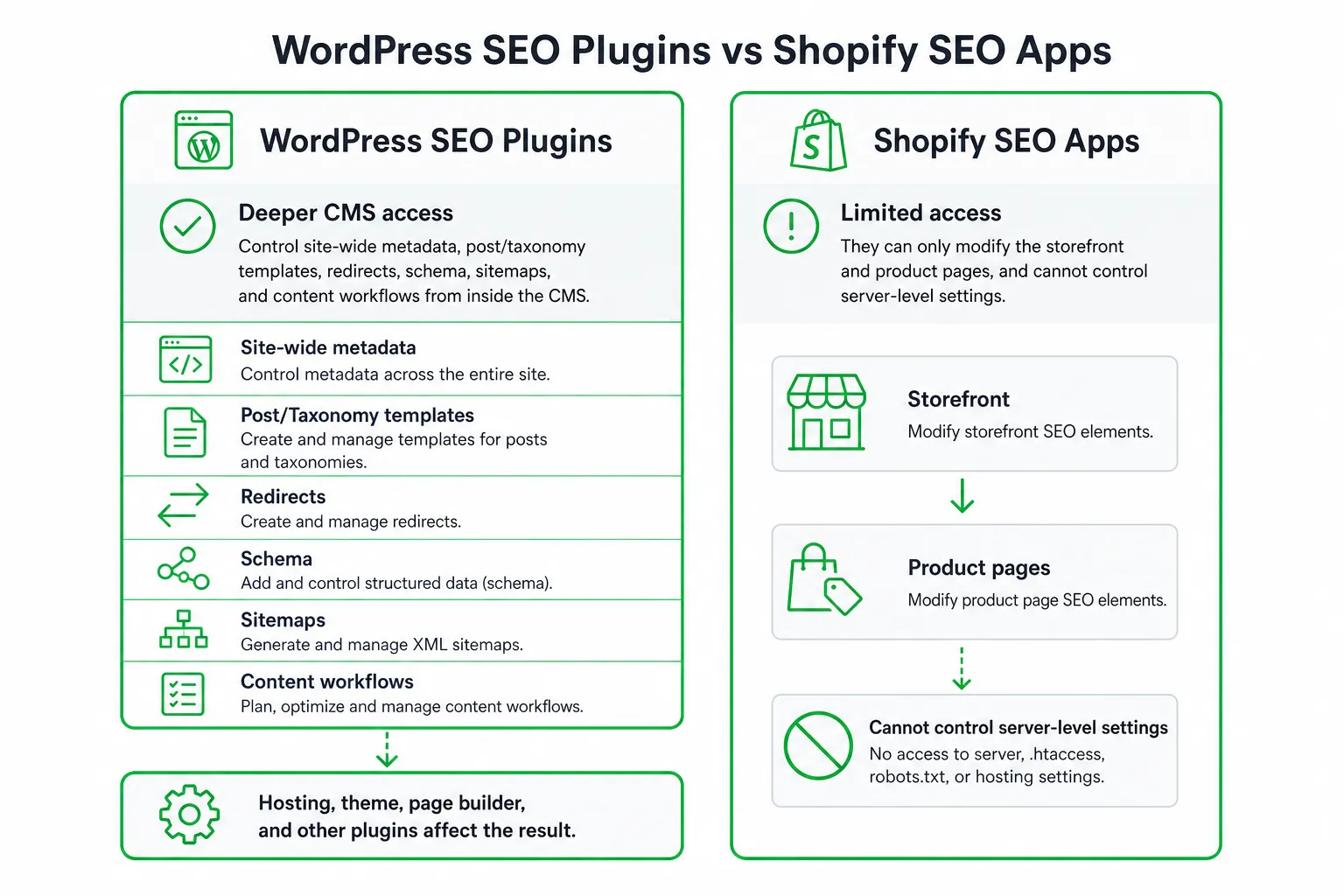
Do not compare a WordPress SEO plugin and a Shopify SEO app using the same checklist. They operate with different levels of access.
WordPress plugin: deeper CMS access. A plugin can often control site-wide metadata, post and taxonomy templates, redirects, schema, sitemaps, and content workflows from inside the CMS. Your hosting, theme, page builder, and other plugins still affect the result.
Shopify app: platform-aware controls. Assess how an app handles products, collections, variants, blogs, canonical URLs, structured data, redirects, and theme changes. Shopify’s platform architecture determines which settings the app can change and which require theme or developer work.
Use this platform-fit decision:
- Choose a WordPress plugin for a WordPress site.
- Choose a Shopify SEO app for a Shopify store.
- Choose a separate content or marketing platform when publishing and demand generation are the bottlenecks.
Buyer Comparison: Price, Licenses, Renewals, and Tracking
Compare the complete commercial package, not just the introductory price. Confirm the renewal price, site-license scope, personal-versus-client restrictions, support, money-back terms, add-ons, and tracking limits before checkout.
| Option | Current published price | Site licensing | Optimization or tracking limits | Support and add-ons | Platform |
|---|---|---|---|---|---|
| Rank Math Pro | €7.99 per month when billed annually | Unlimited personal websites | 500 tracked keywords | Confirm renewal, client-site terms, support, and money-back terms | WordPress |
| SEOPress Pro | $49 per year for one site, $59 per year for up to five sites, or $149 per year for unlimited sites | One, up to five, or unlimited sites | Core plugin tracking scope is not listed in the supplied pricing facts | Insights is separate; confirm renewal, support, and money-back terms | WordPress |
| Yoast SEO Premium | $118.80 per year excluding VAT | Confirm included-site terms before purchase | Up to five keyphrases per page; analysis in more than 20 languages | Local SEO, News SEO, Video SEO, one Google Docs add-on seat, SEO Academy access, and 24/7 support | WordPress |
Yoast provides the clearest bundle benchmark. Its Premium plan costs $118.80 per year excluding VAT and includes the Premium plugin, Local SEO, News SEO, Video SEO, one Google Docs add-on seat, SEO Academy access, and 24/7 support, according to Yoast product details.
Separate page optimization from rank tracking. Yoast Premium supports up to five keyphrases per page and analysis in more than 20 languages. That describes content analysis, not a broad rank-tracking allowance, so you should confirm what external tracking you still need through Yoast product details.
SEOPress also separates these functions. SEOPress Insights is an off-site SEO product for rank and backlink tracking, priced at $99 per year per site. Do not assume it is included in the core plugin. Check SEOPress pricing before comparing total ownership cost.
The Gap Most Plugin Lists Miss: Map Features to Google Requirements
The best SEO booster plugin is the one that helps you implement Google’s requirements without pretending that implementation equals rankings. Google Search Essentials groups SEO into three core areas: technical requirements, spam policies, and best practices such as helpful people-first content, crawlable links, and appropriate structured data. See Google Search Essentials.
| Google-related need | Plugin functions that can help | Work still required outside the plugin |
|---|---|---|
| Crawlability | Sitemaps, robots directives, crawlable internal links, canonical settings | Server access, navigation architecture, JavaScript testing, and crawl checks |
| Indexation | Noindex controls, canonicals, sitemap inclusion, duplicate-content settings | Search Console review, content decisions, and technical debugging |
| Structured data | Schema templates for relevant content, products, organizations, and breadcrumbs | Accurate information, validation, and developer fixes for unsupported cases |
| On-page relevance | Titles, descriptions, headings, keyphrase guidance, internal-link suggestions | Helpful content, original expertise, search-intent alignment, and editing |
| Performance | Limited metadata and asset-related controls, depending on the plugin | Hosting, theme code, scripts, images, caching, and development work |
Performance deserves its own check. Google recommends a Largest Contentful Paint of 2.5 seconds or less, an Interaction to Next Paint below 200 milliseconds, and a Cumulative Layout Shift below 0.1 for good Core Web Vitals. A settings panel cannot make a slow server or overloaded theme compliant. Use Google’s Core Web Vitals guidance and measure the site itself.
No plugin guarantees rankings, repairs poor content automatically, or satisfies spam policies by default. Treat the plugin as an implementation layer inside a wider SEO process.
Shortlist the Leading Options for Small Teams
Rank Math: Broad controls with built-in tracking
Pick Rank Math when you want a wide feature set, a setup wizard, schema tools, and keyword tracking in the same WordPress system. Its Pro plan supports unlimited personal websites and tracks 500 keywords, according to Rank Math pricing.
- Pros: Broad functionality, useful automation, schema support, and a clear fit for teams managing several personal sites.
- Cons: The interface can feel dense. Review performance impact, migration steps, client-site restrictions, and renewal terms before rollout.
SEOPress: Clear licensing and technical coverage
Choose SEOPress when site economics and clean technical controls matter most. Its listed features include audits, AI integrations, local SEO, WooCommerce SEO, schemas, and redirect monitoring.
- Pros: Straightforward licensing tiers, strong technical coverage, and a separate product for deeper rank and backlink tracking.
- Cons: Add SEOPress Insights to the budget if you need that tracking. Test migrations, support responsiveness, integrations, and workflow fit first.
Yoast SEO Premium: Guided editorial workflows
Choose Yoast when founders and writers need familiar, guided editing. Its analysis supports up to five keyphrases per page and more than 20 languages, with a bundled product and support package described on Yoast product details.
- Pros: Accessible recommendations, editorial familiarity, language support, and bundled support.
- Cons: Compare the annual price, included-site terms, add-on value, performance impact, and migration risk with leaner alternatives.
How to Choose, Install, and Measure the Right Plugin
- Inventory the site. Record the platform, number of sites, content types, ecommerce needs, current rankings, technical problems, publishing workflow, and integrations.
- Protect the current setup. Create backups. Export existing metadata and redirects. Identify overlapping SEO features. Use staging when possible.
- Configure the essentials. Set site identity, sitemap behavior, indexation rules, canonical defaults, schema, redirects, social metadata, and internal-link workflows.
- Measure outcomes. Review Search Console, analytics, crawl checks, Core Web Vitals, index coverage, impressions, clicks, conversions, and content production efficiency.
Final Verdict and Next Steps for a Small Team
Choose Rank Math when built-in keyword tracking and broad functionality justify the plan. Choose SEOPress when site-license economics and technical controls come first. Choose Yoast when guided editorial work, language support, and bundled assistance matter most.
Before checkout, confirm renewal pricing, site limits, keyword or rank-tracking allowances, platform compatibility, client-site terms, and add-on requirements. Then audit the site, select the smallest plan that covers your needs, and review measurable changes after the first optimization cycle.
If technical implementation is handled but content production and demand generation remain slow, OneUp Today can plan and publish SEO content while finding high-intent Reddit conversations for approval-based outreach. In OneUp Today’s own data, 29.7% of 2,269 real Reddit cold DM conversations received at least one human reply, as reported in its Reddit DM benchmarks.
Frequently asked questions
Is an SEO booster plugin worth it for a small business website?
Yes, an SEO booster plugin is worth it for most small business websites. It automates technical SEO tasks like sitemaps, meta tags, and schema, which saves hours of manual work. However, it won't replace quality content or backlinks, so pair it with consistent publishing and outreach.
What is the difference between a free and paid SEO booster plugin?
A paid SEO booster plugin typically adds advanced features like keyword tracking, redirects, schema types, and AI content suggestions, while free versions cover basics like meta tags and sitemaps. For example, Rank Math Pro tracks 500 keywords, but the free version limits tracking to 5.
Can an SEO booster plugin slow down my WordPress site?
Yes, an SEO booster plugin can slow down your site if it's poorly coded or overloaded with features. Most reputable plugins like Rank Math or Yoast are optimized, but you should test page speed after activation. Disable unused modules and use caching to minimize impact.
How do I choose between Rank Math, SEOPress, and Yoast for my team?
Choose Rank Math for built-in keyword tracking and broad controls, SEOPress for predictable site licensing, and Yoast for guided editorial workflows. Evaluate your team's priorities: if you need 500 keyword tracking, Rank Math wins; if you want simple multi-site pricing, SEOPress is best.
Do SEO booster plugins work with page builders like Elementor or Divi?
Yes, most SEO booster plugins work with page builders, but compatibility varies. Rank Math and Yoast integrate well with Elementor and Divi, allowing you to edit meta titles and schema per page. Always test schema output after installing, as some builders may conflict with plugin-generated markup.