
Blog Outreach Software for Small Teams
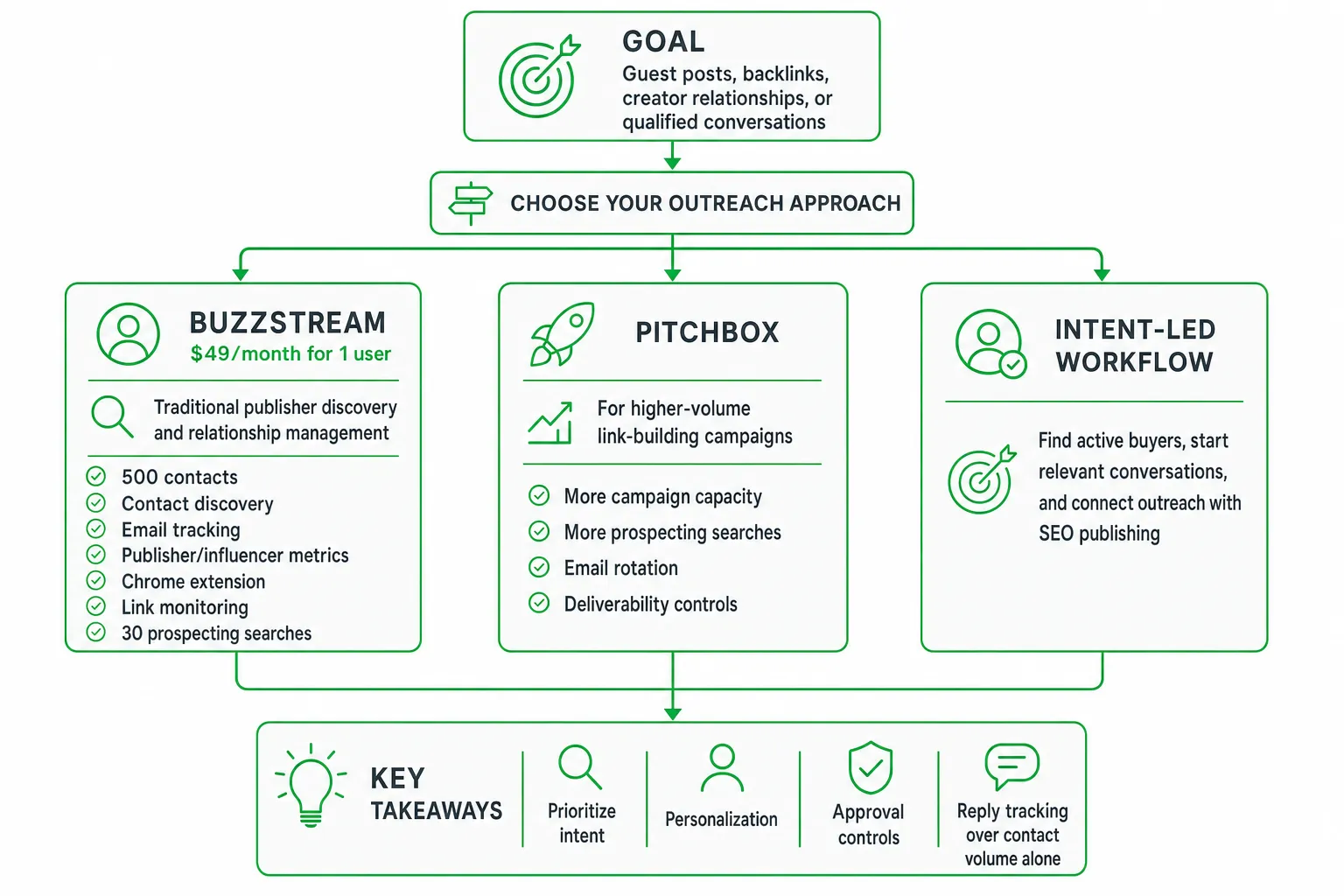
For most small teams, the best blog outreach software is the tool that matches your growth motion. Choose BuzzStream for traditional publisher discovery and relationship management. Choose Pitchbox for higher-volume link-building campaigns. Choose an intent-led workflow when you want to find active buyers, start relevant conversations, and connect outreach with SEO publishing.
The right choice matters because outreach is not just a sending task. Your software should help you find the right person, write a useful message, get human approval, track the outcome, and turn recurring questions into content.
Key takeaways
- Start with your goal: guest posts, backlinks, creator relationships, or qualified conversations.
- Prioritize intent, personalization, approval controls, and reply tracking over contact volume alone.
- BuzzStream fits structured blogger outreach. Pitchbox fits larger campaign and prospecting programs.
- An integrated workflow can connect social outreach, blog publishing, SEO tracking, and content distribution.
What Is the Best Blog Outreach Software for Small Teams?
The best blog outreach software depends on what you want from outreach. If your priority is finding publishers, managing relationships, sending email campaigns, and monitoring links, a conventional platform is usually the clearest starting point.
For traditional blogger outreach, BuzzStream is a practical option. Its Starter plan costs $49 per month for one user and 500 contacts, with contact discovery, email tracking, publisher and influencer metrics, a Chrome extension, link monitoring, and 30 prospecting searches. See the current details from BuzzStream.
Choose Pitchbox when you need more campaign capacity, prospecting searches, email rotation, or deliverability controls. Choose an intent-led platform when you want to discover people already discussing a problem your product solves, then connect those conversations to SEO content and blog publishing.
Your key test is simple: can the tool help you find relevant prospects, draft genuinely personal messages, require approval before sending, and measure useful business outcomes?
What to Compare Before Choosing a Tool
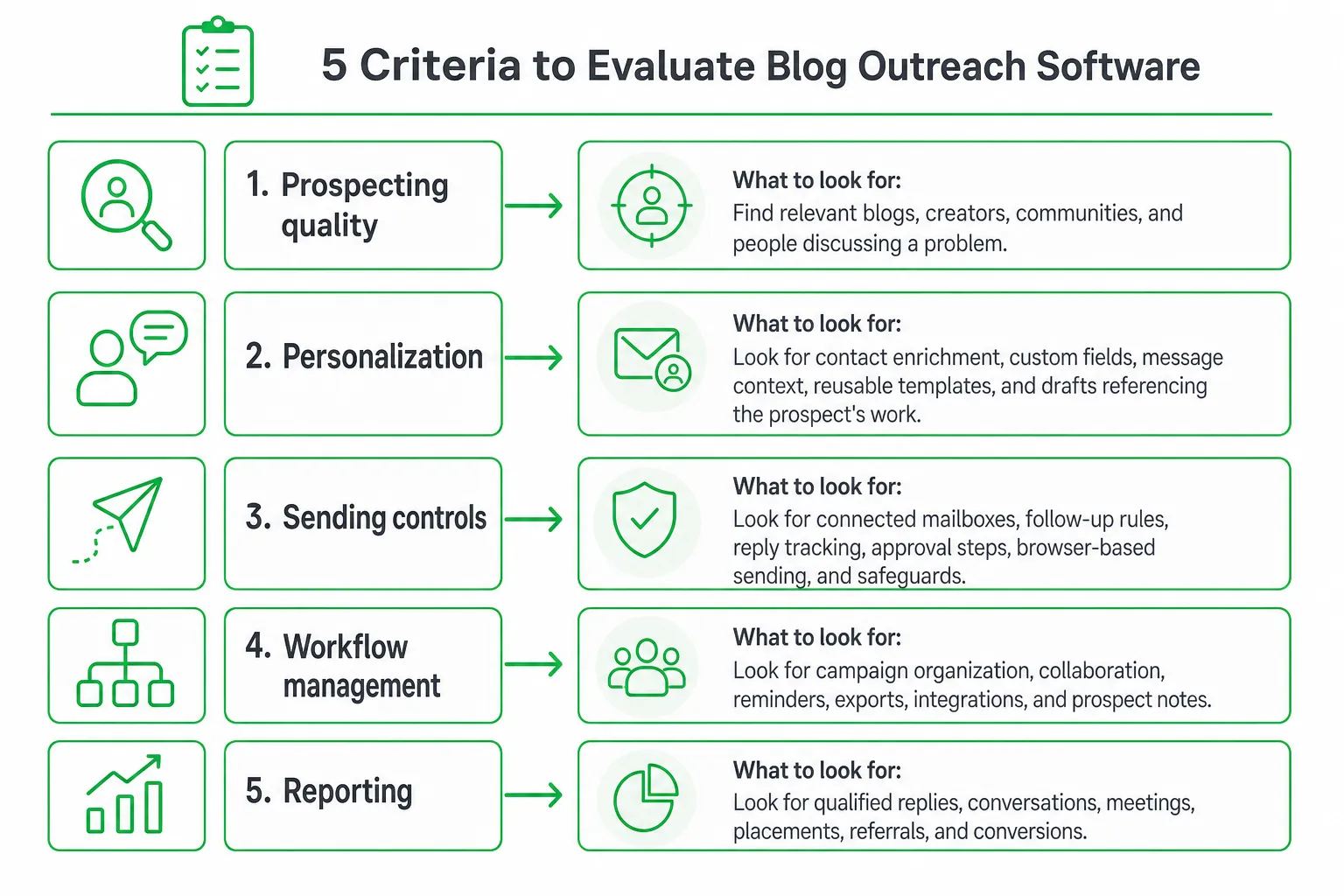
Small teams rarely have time to maintain a complicated stack. Compare the workflow, not just the feature list.
- Prospecting quality: Check whether the software finds relevant blogs, creators, communities, and people actively discussing a problem. A large database does not guarantee a good prospect.
- Personalization: Look for contact enrichment, custom fields, message context, reusable templates, and drafts that reference the prospect’s actual work or question.
- Sending controls: Review connected mailboxes, follow-up rules, reply tracking, approval steps, browser-based sending, and safeguards against repetitive outreach.
- Workflow management: Compare campaign organization, collaboration, reminders, exports, integrations, and the ability to keep prospect notes in one place.
- Reporting: Measure qualified replies, conversations, meetings, placements, referrals, and conversions. Open rates and backlinks are useful, but they are not the whole outcome.
- Total complexity: Account for users, contacts, email accounts, sending limits, onboarding, and the other tools you need to complete the job.
Conventional Blogger Outreach Tools Compared
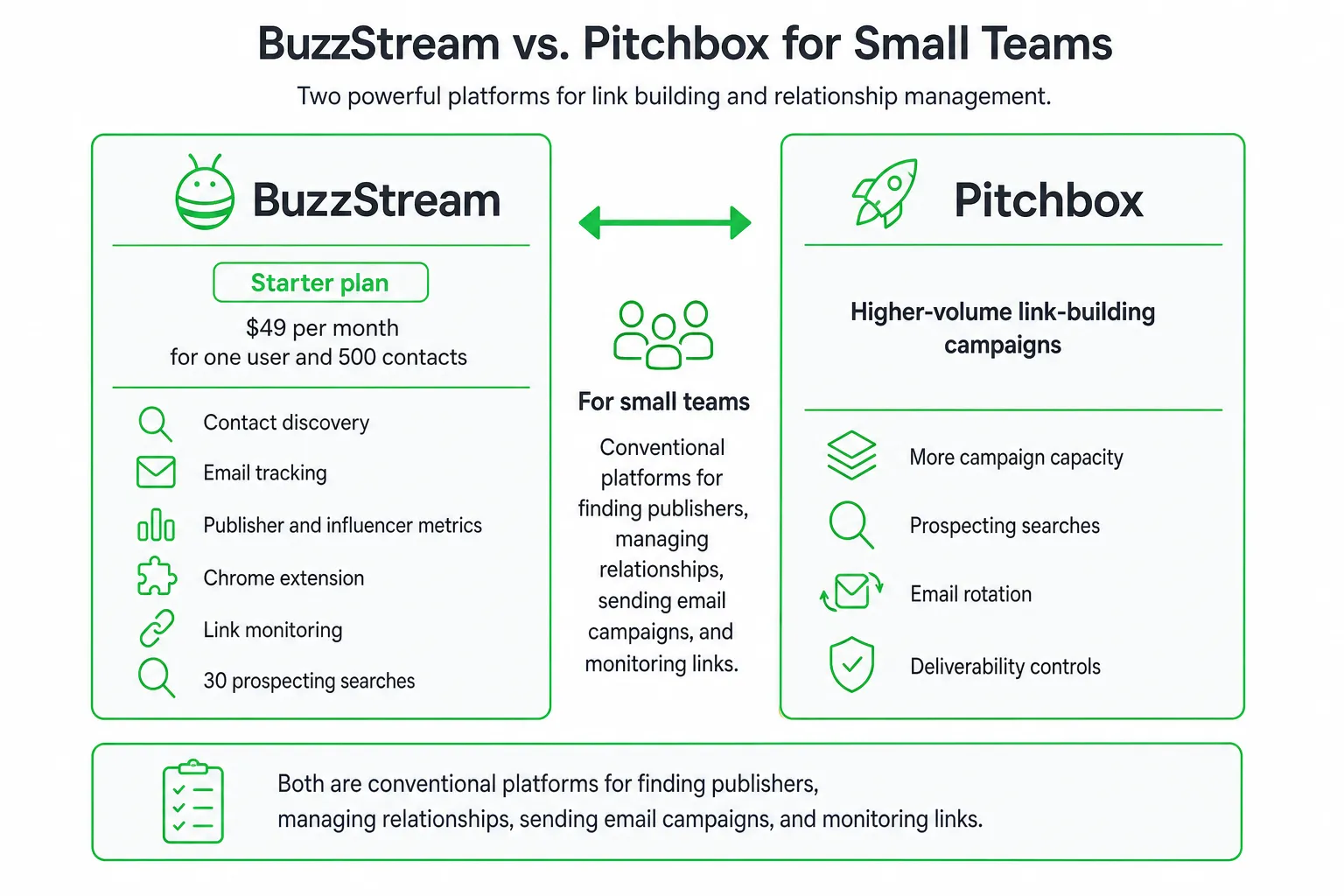
Traditional outreach platforms are built around publisher databases, prospect research, email campaigns, and link reporting. They can work well when your team already knows the sites or creators it wants to contact.
| Tool | Best fit | Relevant plan details | Trade-off |
|---|---|---|---|
| BuzzStream | Publisher relationships and structured blogger outreach | Starter: $49 per month, one user, 500 contacts, 30 prospecting searches | Better suited to conventional outreach than intent-based social discovery |
| BuzzStream Growth | Small teams managing larger contact lists and campaigns | $174 per month, three users, 25,000 contacts, bulk sending, scheduling, follow-ups, shared templates, and reporting | More capability and cost than a very small workflow may require |
| Pitchbox Pro | Agencies and teams running larger prospecting campaigns | $210 per month when billed annually, 2,000 outreach emails per month, 25 campaigns per month, 1,000 prospecting searches per month, and 50,000 contacts | Designed for campaign scale rather than lightweight demand generation |
| Pitchbox Advanced | High-volume outreach programs | $420 per month when billed annually, 5,000 outreach emails per month, 5,000 prospecting searches per month, and 200,000 contacts | Can be excessive when quality conversations matter more than volume |
BuzzStream’s Growth plan costs $174 per month and includes three users and 25,000 contacts, plus bulk email sending, scheduling, automated follow-ups, shared templates, and performance reporting. See the plan details at BuzzStream.
Pitchbox’s Pro plan is listed at $210 per month when billed annually. It includes 2,000 outreach emails per month, 25 campaigns per month, 1,000 prospecting searches per month, and 50,000 contacts. See Pitchbox for the current plan information.
Pitchbox Advanced adds email rotation, bulk AI personalization, deliverability monitoring, Slack integration, 5,000 outreach emails per month, 5,000 prospecting searches per month, and 200,000 contacts for $420 per month when billed annually. See Pitchbox.
These tools are strong when your main job is finding sites, organizing contacts, sending campaigns, and reporting backlinks. The trade-off is focus. You may still need separate tools for social listening, content creation, publishing, SEO tracking, and lead qualification.
The Missing Layer: Intent-Based, Human-Approved Outreach
Most blogger outreach software starts with a database of sites or creators. A stronger small-team workflow can start with intent instead: find people asking questions, comparing solutions, or describing a problem your product addresses.
That changes the message. Instead of sending a generic request for a guest post or link, you can answer the person’s question, share a relevant resource, suggest a collaboration, or send a private note when the context supports it.
Meet the Intent Agent: Monitor relevant Reddit communities and other channels for buying signals. Score opportunities by urgency, product fit, and whether you can offer a useful response without forcing a pitch.
Meet the Drafting Agent: Summarize the prospect’s exact words and create a public reply, DM, or email in your voice. Keep a human approval step before anything is posted or sent. Automation should reduce repetitive work, not remove your judgment.
Meet the Browser Agent: Send from your own browser through a Chrome extension instead of relying only on opaque bulk-sending infrastructure. This gives you a clearer review point and can reduce dependence on automated sending systems.
OneUp Today fits this gap by combining intent-based lead discovery with browser-based outreach safeguards, content publishing, and SEO automation. Its own DM generator blocks 23 corporate buzzwords with a hard validator, because simply prompting an AI model to avoid them was not enough. See the publisher’s explanation at OneUp Today.
This approach is especially useful when your audience is already asking for help in public. You can turn those questions into conversations, then use repeated themes to guide blog topics and landing pages.
How to Build a Blog Outreach Workflow That Converts
Use a repeatable process. Keep the research, drafting, approval, and measurement steps connected.
- Define buying signals. List the problems, product categories, competitor comparisons, and questions that indicate someone may welcome a useful answer.
- Separate prospect types. Create different paths for publishers, creators, community members, potential partners, and prospective customers. Each group needs a different next step.
- Prioritize opportunities. Review blogs and publishers for audience fit. Score social conversations by intent, urgency, product relevance, and your ability to help.
- Choose the right response. Answer publicly when the information will help others. Suggest a resource when one exists. Request a collaboration when there is a clear editorial fit. Send a private note only when the context supports it.
- Personalize from evidence. Reference the person’s article, question, product, or exact problem. Remove generic praise and unsupported assumptions.
- Approve before sending. Check accuracy, tone, relevance, links, and the requested next step. Approve follow-ups only when they add useful context.
- Feed learning back into content. Turn recurring questions into blog posts, comparison pages, FAQs, and product education. Then distribute the finished content through the channels your audience uses.
This workflow prevents a common failure mode: treating outreach and content marketing as separate projects. Your conversations can reveal what people need to read next, while your content gives future conversations a useful answer.
How Outreach Results Should Be Measured
Track outcomes at several levels. Start with activity, but do not stop there.
- Message activity: approved sends, replies, follow-ups, and conversations started.
- Relationship outcomes: accepted collaborations, referrals, guest contributions, and published placements.
- Pipeline outcomes: qualified leads, meetings, assisted conversions, and revenue.
- Content outcomes: organic visits, rankings, citations, and conversions from pages created from outreach insights.
Do not transfer cold-email benchmarks directly to blogger or creator outreach. An analysis of more than 100,000 creator outreaches across over 150 campaigns found a 32.8% overall response rate, with about half of responses arriving within one day and most arriving within three days, according to 1stCollab. Hunter’s 2025 cold-email research reported a 4.1% average campaign reply rate, according to Hunter.
Those figures describe different contexts. Use them as directional benchmarks, not promises. Review performance by channel, intent level, message angle, prospect type, and follow-up timing.
A high reply rate is not enough if the replies are unqualified or never progress. Improve your filters, offers, prompts, content topics, and approval guidelines before increasing volume.
Which Option Should Your Small Team Choose?
Choose a traditional blogger outreach platform when your primary need is a structured publisher database, guest-post prospecting, relationship history, email sequences, and backlink reporting. BuzzStream is a sensible starting point for this workflow.
Choose a larger campaign platform when you manage many prospects, campaigns, email accounts, or sending requirements. Pitchbox is designed for teams that need more prospecting and outreach capacity.
Choose a broader AI marketing workflow when you want to discover active demand on social channels, draft replies and DMs, publish across platforms, automate blog production, and connect outreach insights to SEO growth.
OneUp Today is a fit when your small team wants intent-based lead discovery alongside SEO article and blog publishing workflows, with approval before outreach is sent. Confirm that its supported channels, integrations, reporting, and approval process match your requirements.
Next step: Pick one audience, one buying signal, and one content topic. Run the complete workflow from discovery to approved outreach to published content. Keep the tool that helps you create better conversations without adding another disconnected system.
Frequently asked questions
Can blog outreach software help with finding guest posting opportunities?
Yes. Many tools like BuzzStream and Pitchbox include prospecting features that filter blogs by niche, domain authority, and guest post acceptance, making it easier to identify and contact relevant sites for guest posting.
What is the average cost of blog outreach software for small teams?
Plans typically start around $49 per month for one user, as seen with BuzzStream's Starter plan. Costs scale with features like contact limits, prospecting searches, and team seats, so compare based on your outreach volume.
Does blog outreach software integrate with Google Analytics or SEO tools?
Many platforms offer integrations with tools like Google Analytics, Ahrefs, or Moz for tracking link placements and referral traffic. Check specific integrations before choosing, as they streamline measuring outreach ROI.
How do I measure success with blog outreach software beyond backlinks?
Track qualified replies, conversations, meetings, and conversions. Good software reports these metrics alongside open rates and backlinks, helping you assess whether outreach drives actual business outcomes like leads or sales.