
Best Wix SEO Plugin Options
The best Wix SEO plugin depends on the work you need done. Wix does not use WordPress-style plugins, so most sites should start with Wix’s built-in SEO controls, then add a Wix App Market app or external SEO platform for research, audits, content, or rank tracking.
Choose the smallest toolset that solves your bottleneck. A simple business site may need no extra app. A content-led SaaS or ecommerce site may need a repeatable workflow for planning, drafting, publishing, and measuring SEO content.
Key takeaways
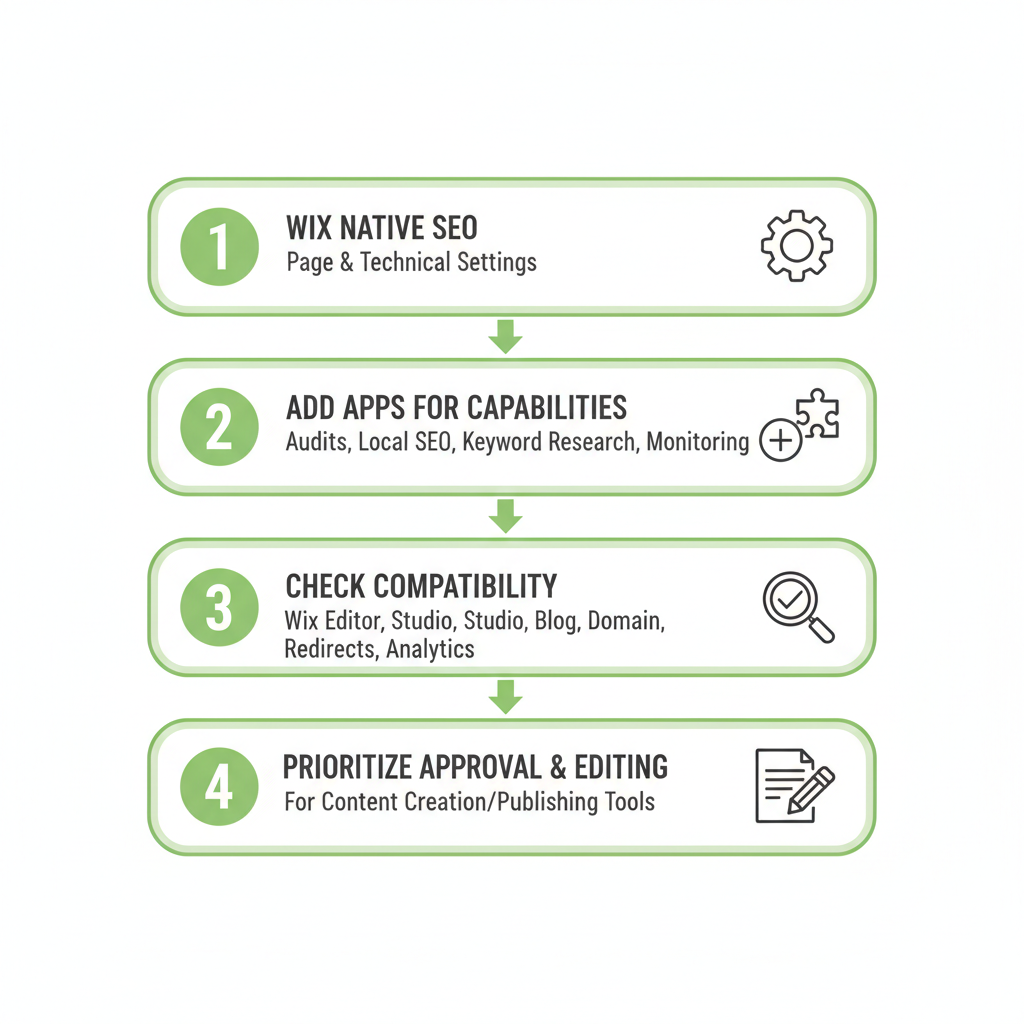
- Use Wix’s native SEO settings for page-level and technical implementation.
- Add a Wix app or external platform only when you need a specific capability, such as audits, local SEO, keyword research, or monitoring.
- Check compatibility with Wix Editor, Wix Studio, your blog, domain, redirects, and analytics setup before installing anything.
- Prioritize approval and editing controls if a tool creates or publishes content.
What is the best Wix SEO plugin?
For most Wix websites, the best starting point is Wix’s built-in SEO toolkit. It covers core tasks such as page titles, meta descriptions, URLs, redirects, sitemaps, image settings, structured data options, and search-engine connections.
Wix does not work like WordPress, where you install one plugin to manage most of your SEO. Instead, Wix provides native controls, while apps and connected platforms extend them. That makes the right choice less about finding one perfect plugin and more about matching tools to your workflow.
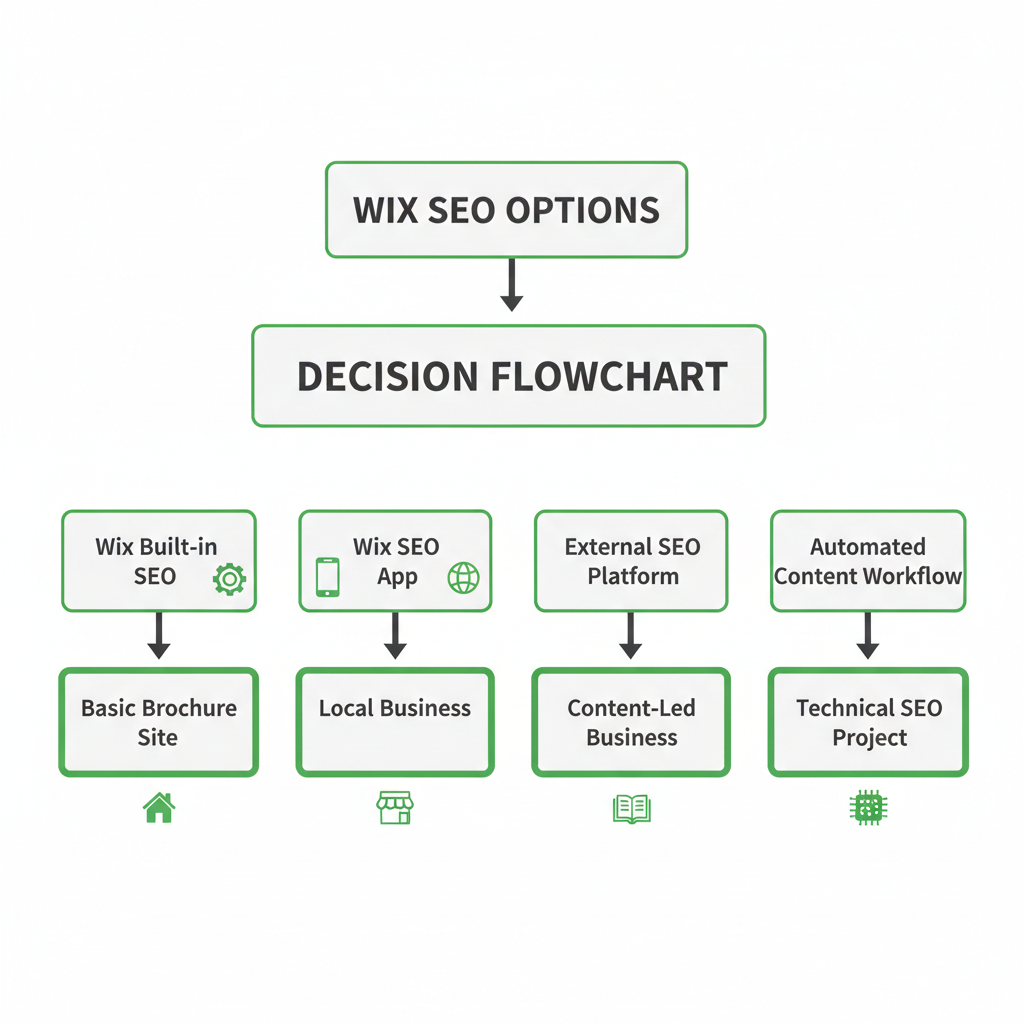
- Basic brochure site: Use Wix’s native settings and SEO checklist.
- Local business: Add local visibility tools only if Wix’s standard controls do not cover your listings, location pages, or business details.
- Content-led business: Add keyword research, content planning, publishing, and rank tracking tools.
- Technical SEO project: Use a specialist crawler or audit platform, then implement fixes in Wix.
OneUp Today is worth considering when your main problem is consistent content operations. Its SEO workflow researches keywords, drafts on-brand articles with diagrams and schema, publishes to a connected stack, and tracks rankings on Google and Bing plus AI citations.
Wix SEO tools and plugin alternatives compared
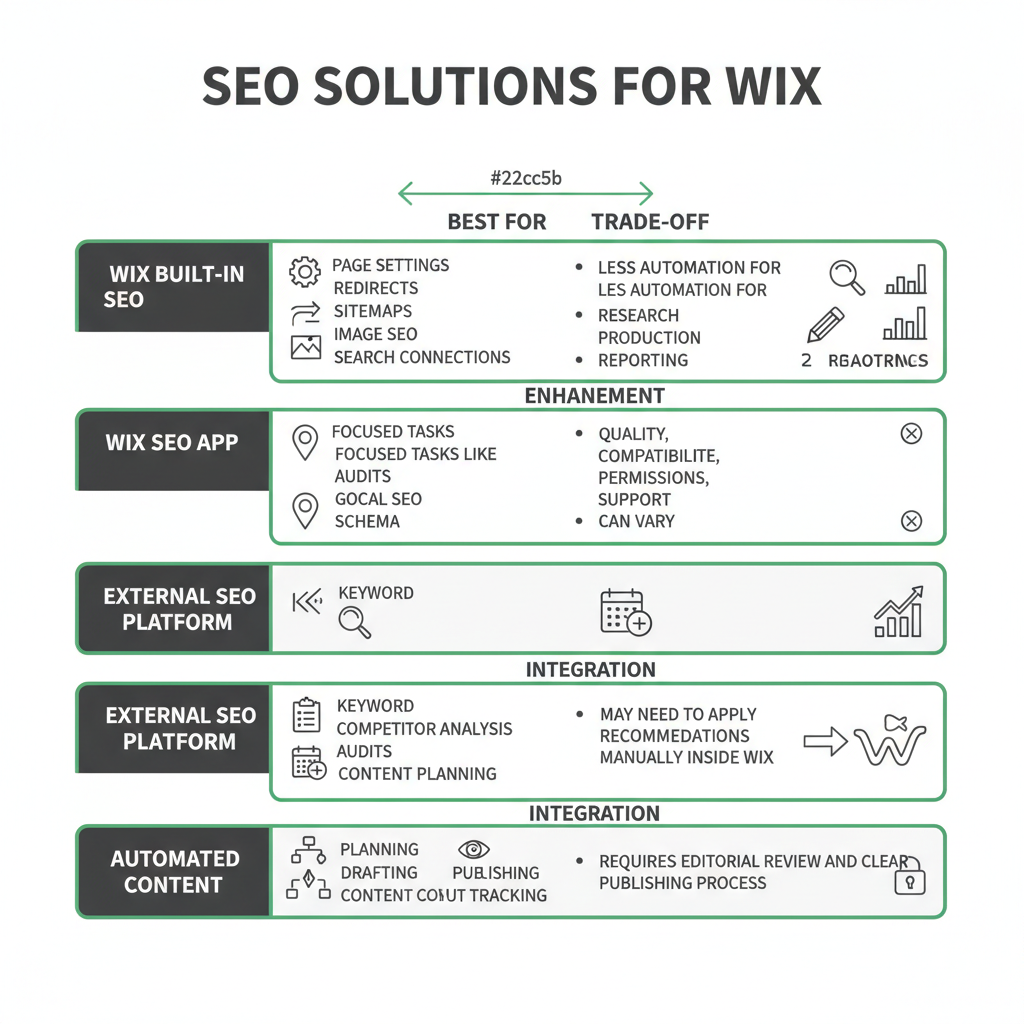
Compare each option by the job it performs, not by how many features appear on its sales page. A tool that helps with keyword research may not implement changes on your Wix site. An app that edits metadata may not help you plan useful content.
| Option | Best for | Trade-off |
|---|---|---|
| Wix built-in SEO | Page settings, redirects, sitemaps, image SEO, and search connections | Less automation for research, production, and reporting |
| Wix SEO app | Focused tasks such as audits, local SEO, guidance, or schema | Quality, compatibility, permissions, and support can vary |
| External SEO platform | Keyword research, competitor analysis, audits, content planning, and rank monitoring | You may need to apply recommendations manually inside Wix |
| Automated content workflow | Planning, drafting, review, publishing, and content tracking | Requires editorial review and a clear publishing process |
Wix built-in SEO
Use Wix’s native features for the changes that directly affect your website. Edit title tags, meta descriptions, URL slugs, headings, image settings, redirects, canonical preferences, and other available SEO fields from the site editor or dashboard.
This option gives you direct control and avoids adding another dependency. The limitation is that you still need to decide what to optimize, which pages to create, and how to measure progress.
Wix SEO apps
Use a Wix app when you need a focused feature that is inconvenient to manage manually. Examples include audit checks, keyword guidance, local optimization, or specialized structured data.
Review the app’s permissions, Wix Editor and Wix Studio compatibility, support process, update history, data handling, and removal process. Confirm that uninstalling it will not remove important settings or leave broken elements behind.
External SEO platforms
Use an external platform for broader analysis. These tools can help you research search intent, organize keywords, inspect competitors, run technical checks, plan content, or monitor rankings.
Keep implementation in mind. An external recommendation only helps after you apply it correctly in Wix, check the result, and connect it to the page’s conversion goal.
How to choose the right Wix SEO solution
Start with the bottleneck. Do not install a tool because it lists every SEO task. Identify the work that currently prevents your site from improving.
- On-page editing: Choose Wix’s native controls if you mainly need better titles, descriptions, headings, links, and copy.
- Technical checks: Choose an audit tool if you need help finding indexability, redirects, canonical, sitemap, or structured data issues.
- Local SEO: Choose a local tool if location pages, business information, and local visibility need dedicated attention.
- Keyword research: Choose a research platform if you need to map topics to customer questions and commercial pages.
- Content production: Choose a workflow that supports planning, drafting, review, publishing, and internal linking.
- Rank tracking: Choose monitoring that shows page-level movement for the queries that matter to your business.
Then confirm the technical fit. Check whether the solution works with Wix Editor or Wix Studio, your site plan, custom domain, blog setup, redirects, schema requirements, and connected analytics.
Compare more than the feature list. Look at ease of setup, control over recommendations, publishing permissions, approval steps, reporting clarity, support quality, and total cost. A tool that requires constant cleanup can create more work than it removes.
How to set up SEO on a Wix website
Set up your Wix SEO foundation before adding advanced tools. This gives you a clean baseline and makes later recommendations easier to evaluate.
- Connect measurement tools. Connect your site to Google Search Console and your analytics platform. Use Wix’s SEO checklist to identify indexing, verification, and configuration tasks.
- Map keywords to pages. Assign one primary search intent to each important page. For example, give your product page a product-focused intent, your comparison page a comparison intent, and your guide a problem-solving intent.
- Fix page-level elements. Write a clear title, useful meta description, descriptive URL, logical headings, relevant copy, image alt text, internal links, and a direct call to action.
- Review technical settings. Check mobile usability, page speed, canonical settings, redirects, sitemap coverage, structured data, and indexability before publishing changes.
- Test the customer journey. Open the page as a visitor. Confirm that the content answers the query, the next step is obvious, forms work, and important commercial pages are easy to reach.
Make changes in a controlled sequence. If you change the page copy, URL, internal links, and technical settings at the same time, it becomes harder to understand which change affected the result.
Wix SEO features every site should use
Your SEO app cannot compensate for confusing site structure or weak page content. Build the fundamentals into the website before expanding your toolset.
- Clear navigation: Organize service, product, location, category, and supporting content pages so visitors and crawlers can reach them without friction.
- Internal links: Link related guides to commercial pages and link commercial pages to relevant supporting resources. Use descriptive anchor text that helps visitors decide whether to click.
- Useful images: Use descriptive filenames and alt text. Compress media and remove unnecessary visual elements that make important pages harder to use.
- Structured data: Add relevant schema where Wix or a compatible tool supports it. Validate the result and keep business details consistent across the site.
- Supporting content: Answer real customer questions, explain your process, address objections, and link naturally to pages where readers can take action.
Keep every optimization tied to a visitor’s task. A keyword in a heading is not useful if the section does not answer the question behind it. A schema field is not useful if it describes content that the page does not actually contain.
The Wix SEO plugin gap: automation versus control
A Wix app may improve one SEO task, but it does not automatically create a coherent strategy across technical SEO, content, internal linking, conversions, and measurement. You still need to decide which audience you serve, which pages deserve attention, and what action visitors should take next.
A practical setup uses each layer for its strongest job:
- Wix native controls: Implement site-level changes directly in the editor or dashboard.
- Specialist SEO tool: Research topics, inspect technical issues, or monitor rankings.
- Approved content workflow: Plan, draft, edit, publish, and review content consistently.
Keep the stack small for a small site. Overlapping apps can create duplicate recommendations, confusing reports, unnecessary permissions, and extra maintenance.
For a content-led business, prioritize a workflow that connects planning to publishing. OneUp Today can fill that content-operations gap by planning and drafting SEO posts, publishing on a schedule, and tracking how each post performs while keeping approval in the workflow.
Brand control matters when automation drafts customer-facing content. In OneUp Today’s own data, its DM generator blocks 23 corporate buzzwords with a hard validator because prompting the model to avoid them was not enough. The broader lesson applies to SEO content too: define standards in the workflow, then review the output before publishing.
Which Wix SEO option should you choose?
Choose based on your current need, not the promise of a universal SEO solution.
- Choose Wix’s built-in tools if you run a brochure site, portfolio, local business, or small store and need a straightforward setup.
- Choose a Wix SEO app or external platform if you need a specific capability such as audits, keyword research, local optimization, structured data support, or detailed monitoring.
- Choose an automated content and tracking workflow if publishing consistently is your main bottleneck. Keep review in the process and check each draft for accuracy, intent, originality, and conversion relevance.
- Choose fewer tools if your current stack is crowded or produces overlapping recommendations.
Start with one priority page. Audit its search intent, title, copy, links, technical settings, and conversion path. Fix the highest-impact issues, connect measurement, and track what changes before adding another Wix SEO plugin or expanding your workflow.
Next step: Open your highest-value Wix page today, write down its target search intent, and check whether the page clearly answers it and leads visitors to the next action.
Frequently asked questions
Can I use a WordPress SEO plugin on my Wix site?
No, WordPress SEO plugins like Yoast or Rank Math are not compatible with Wix. Wix uses its own proprietary platform with built-in SEO settings and apps from the Wix App Market. For SEO functionality, use Wix's native tools or install a compatible Wix app instead.
How do I add structured data to my Wix site without a plugin?
You can add structured data manually using Wix's built-in schema options in the page settings or by inserting JSON-LD code via the site's custom code feature (Velo by Wix). This avoids needing an app, but requires some technical knowledge to ensure proper implementation.
What is the best free SEO app for Wix?
The best free SEO app for Wix is the Wix SEO Wiz, which provides a personalized SEO plan and checklist. It guides you through optimizing titles, descriptions, and images, and submits your site to search engines. However, it may lack advanced features like rank tracking or competitor analysis.
Does Wix have a plugin for keyword research?
Wix does not have a native keyword research plugin, but you can use apps like SEOptimer or external tools like Google Keyword Planner or Ahrefs. These help find keywords, but you must manually apply them to your Wix site's content and meta tags.
How do I track my Wix site's rankings without a plugin?
You can track rankings manually using Google Search Console for impressions and clicks, or use external rank tracking tools like SEMrush or AccuRanker. These require entering your site and keywords, but they don't integrate directly with Wix, so you check reports separately.