
Best Lead Scoring Software: 7 Tools Compared
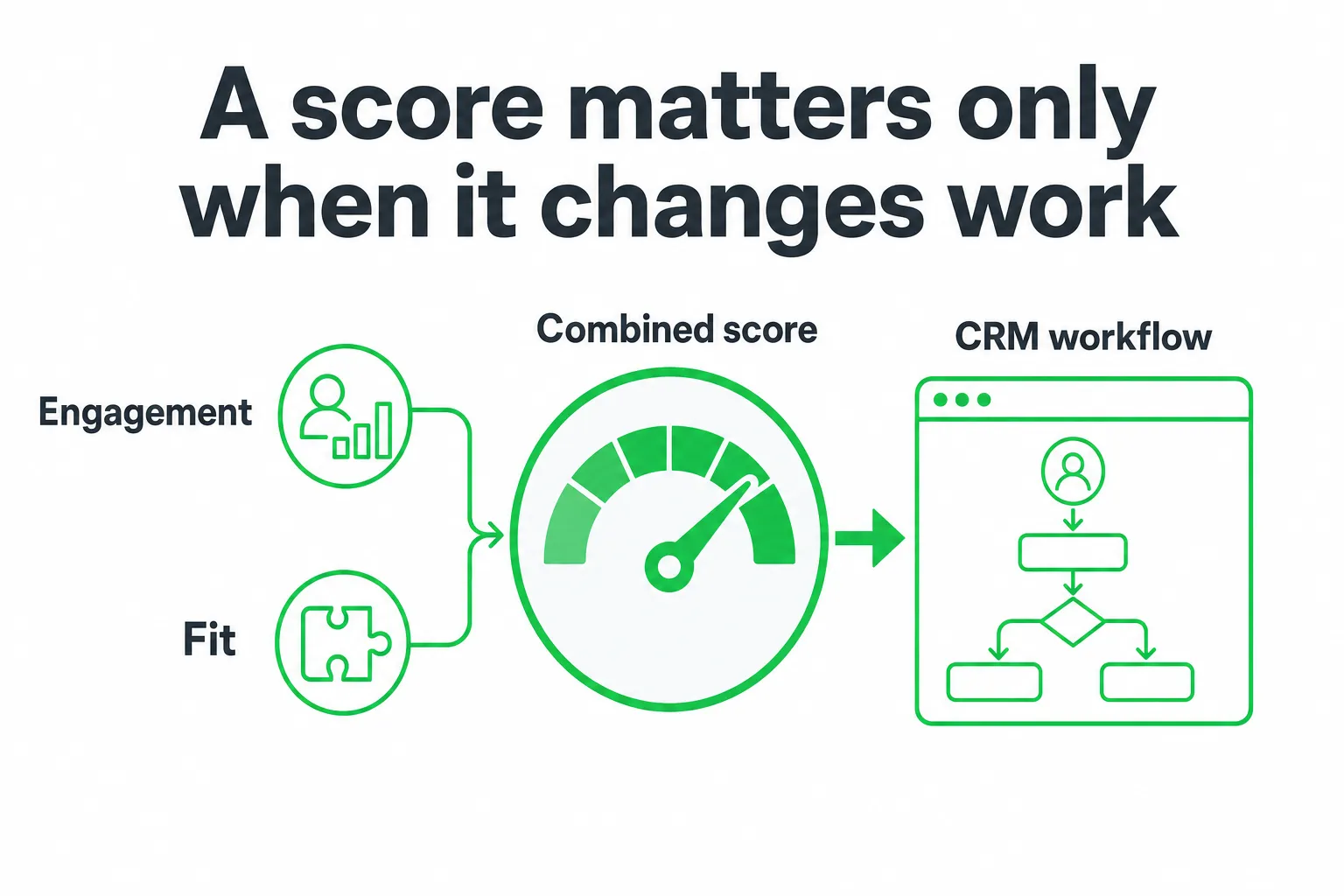
HubSpot is the best lead scoring software for most teams because it combines engagement, fit, and combined scores with practical CRM workflows. Salesforce Einstein is the better choice for Salesforce organizations with enough conversion history, while 6sense stands out for account-based intent. The right pick depends on your data, integrations, refresh cadence, and what your team does after a score changes.
Key takeaways
- HubSpot is the strongest all-around option for contact scoring and workflow activation.
- Salesforce Einstein needs meaningful recent lead and conversion history before predictive scoring becomes useful.
- 6sense is better suited to account-based teams that combine intent, fit, and firmographic signals.
- Marketo Engage, ActiveCampaign, LeadBoxer, and OneUp Today serve more specific marketing and outreach workflows.
- Compare score inputs, integrations, refresh cadence, and workflow actions before comparing AI features.
The best lead scoring software at a glance
Lead scoring software ranks prospects so you can decide who deserves attention now, who belongs in nurture, and who should be excluded. That sounds simple. The hard part is making sure the score reflects buying intent rather than random activity.
HubSpot is the strongest all-around choice for teams that want engagement, fit, and combined scores tied directly to CRM workflows. Salesforce Einstein is best for Salesforce organizations with enough conversion history to support predictive scoring. 6sense is the stronger choice when account-based intent drives your sales process.
ActiveCampaign and Marketo Engage suit marketing-led teams. LeadBoxer focuses on website visitor identification. OneUp Today fits small SaaS teams that want lead scoring alongside approved AI outreach and website lead capture.
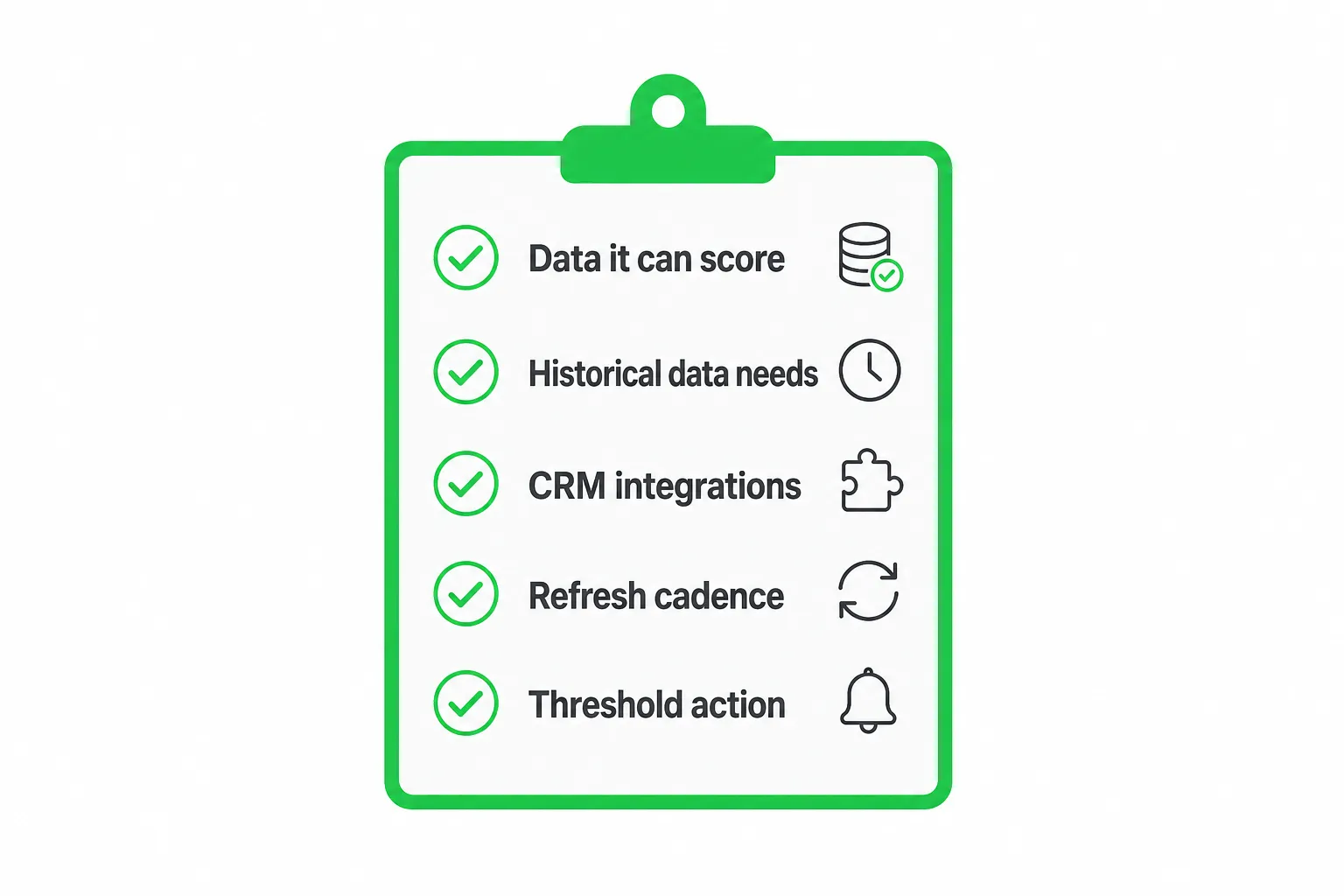
Your decision depends less on a vendor’s AI label and more on five practical questions:
- What data can the platform score?
- How much historical data does it need?
- Which CRM and marketing tools does it connect to?
- How often does the score refresh?
- What happens when a lead crosses a threshold?
G2 tracks 110 products in its lead-scoring category, with an average rating of 4.47 out of 5 based on 26,146 reviews as of October 26, 2026. That broad market gives you plenty of options, but it also makes a narrow buying framework more useful than another feature list. See G2’s lead-scoring category for the category view.
The seven tools compared: strengths, limits, and best fit
| Tool | Best for | Strength | Watch for |
|---|---|---|---|
| HubSpot | General-purpose CRM scoring | Engagement, fit, combined scores, and workflows | Advanced capabilities depend on your HubSpot products and data |
| Salesforce Einstein | Salesforce revenue teams | Predictive behavior scoring inside the Salesforce ecosystem | Requires sufficient recent lead and conversion history |
| 6sense | Account-based marketing | Intent, firmographic, and technographic prioritization | Implementation, data coverage, and integration complexity |
| Marketo Engage | Advanced marketing automation | Custom scoring programs and campaign orchestration | Confirm CRM sync and sales visibility |
| ActiveCampaign | Email-led businesses | Scoring close to campaigns and automations | Less suitable for complex account scoring |
| LeadBoxer | Website visitor identification | Visitor behavior and sales prioritization | Compare enrichment and workflow depth |
| OneUp Today | Small SaaS teams | High-intent prospect scoring, approved outreach, and website conversations | Best fit when scoring connects to an active marketing workflow |
HubSpot: best all-around choice
HubSpot gives you separate engagement and fit scores, plus a combined score for broader prioritization. That separation helps sales understand whether a contact is active, suitable, or both.
Its biggest advantage is workflow activation. HubSpot documents examples such as assigning an owner when a contact exceeds 50 or notifying an owner when a deal exceeds 75. Those thresholds are examples, not universal benchmarks. You should set them against your own sales process.
The tradeoff is packaging. Advanced scoring features may depend on which HubSpot products you use and how much usable data your team has already collected.
Salesforce Einstein: best for Salesforce organizations
Salesforce Einstein is a natural fit when Salesforce already holds your leads, contacts, opportunities, and activity history. Its behavior scoring assigns prospects a score from 0 to 100 and typically refreshes every 4 hours. It also uses score decay, so recent activity can matter more than older activity, according to Salesforce Trailhead.
That predictive approach becomes less attractive for a small or early-stage team with limited conversion history. You may get more value from a transparent rules-based model until your CRM contains enough reliable examples.
6sense: best for account-based intent
6sense is built for teams that prioritize accounts rather than isolated contacts. It combines intent with firmographic and technographic signals, making it useful when several people at the same company may influence a purchase.
Its real-time Lead Scoring API supports Marketo, Eloqua, HubSpot, and Salesforce Marketing Cloud Account Engagement. The API requires the 6sense Predictive add-on and enrichment API credits, so integration fit affects the total buying decision.
Choose 6sense when your sales team can act on account intelligence. If your process only needs a simple email-engagement score, its implementation may exceed your needs.
Marketo Engage: best for sophisticated campaign automation
Marketo Engage suits marketing teams that already run detailed nurture programs, campaign branches, and lifecycle stages. You can build custom scoring programs around campaign activity and pass priorities into your CRM.
Before buying, confirm exactly how the score syncs with your CRM and where sales representatives see it. A sophisticated marketing score has little value if sales cannot understand its inputs or receive a clear next action.
ActiveCampaign: best for email-driven automation
ActiveCampaign is practical when email activity drives your customer journey. You can connect scoring to campaigns, automations, and follow-up tasks without introducing a separate account-based platform.
It may be less suitable when you need complex account scoring, buying-group analysis, or broad firmographic and technographic modeling. Start by mapping the signals your sales team actually uses.
LeadBoxer: best for website visitor identification
LeadBoxer focuses on identifying and tracking website visitors, then turning behavior into sales priorities. It can make sense when your main question is, “Which companies are showing interest on our site?”
Compare its CRM connections, enrichment coverage, and workflow depth with a broader marketing platform. Visitor identification is useful, but your team still needs a handoff process after a visitor becomes interesting.
OneUp Today: best for small SaaS marketing workflows
OneUp Today combines high-intent lead scoring with AI-assisted marketing workflows. It can help a small SaaS team prioritize relevant conversations and website visitors, then draft personalized outreach for approval rather than sending messages automatically.
That fits teams that want scoring connected to action. You review the message, approve it, and keep control of the interaction instead of handing the entire process to an opaque automation.
How to choose: the buying criteria that matter
Score inputs
Ask whether the platform scores only contact engagement or also fit, firmographics, technographics, page behavior, campaign activity, intent, replies, and negative signals such as inactivity.
A contact who clicks an email may be active but still outside your ideal customer profile. A target account with several engaged people may deserve attention even when no single contact dominates the activity. Your scoring system should preserve that distinction.
Integrations
Verify native connections with your CRM, marketing automation platform, enrichment tools, ad systems, sales engagement tools, and data warehouse before judging model quality.
Also check field mapping. A platform may technically connect to your CRM while failing to receive the fields that make your scoring useful.
Refresh cadence
Establish whether scores update instantly, on a schedule, or through a batch process. Stale scores can send salespeople toward yesterday’s priorities.
Ask which events trigger a refresh. A new page view, reply, registration, or account-level intent change should not disappear into a delayed process without a clear reason.
Workflow activation
Confirm that score changes can assign owners, create tasks, alter lifecycle stages, trigger alerts, enroll contacts, suppress outreach, or route an account to the right team.
The practical constraint most comparisons miss
Predictive scoring needs evidence. Before you buy, ask for the minimum historical data required, not just the list of supported features.
Salesforce Einstein Lead Scoring requires at least 1,000 leads created in the previous 200 days and at least 120 of those leads converted to an account and contact for a local model, according to Salesforce Help.
6sense recommends comparing profile-fit models with at least 100 closed-won opportunities when using firmographic and technographic data, according to 6sense Support.
Treat model requirements, integration availability, and data freshness as purchase gates. They are not minor implementation details.
Map every score to an action before subscribing:
- Who owns a high score?
- What happens when a score falls?
- Which events qualify a lead for sales?
- How do you review false positives?
- How do you prevent duplicate outreach?
Run a data audit covering duplicate records, missing firmographics, consent status, anonymous visitors, disconnected CRM fields, and whether your pipeline contains enough converted examples to train or validate a model.
Contact scores and account scores are not interchangeable
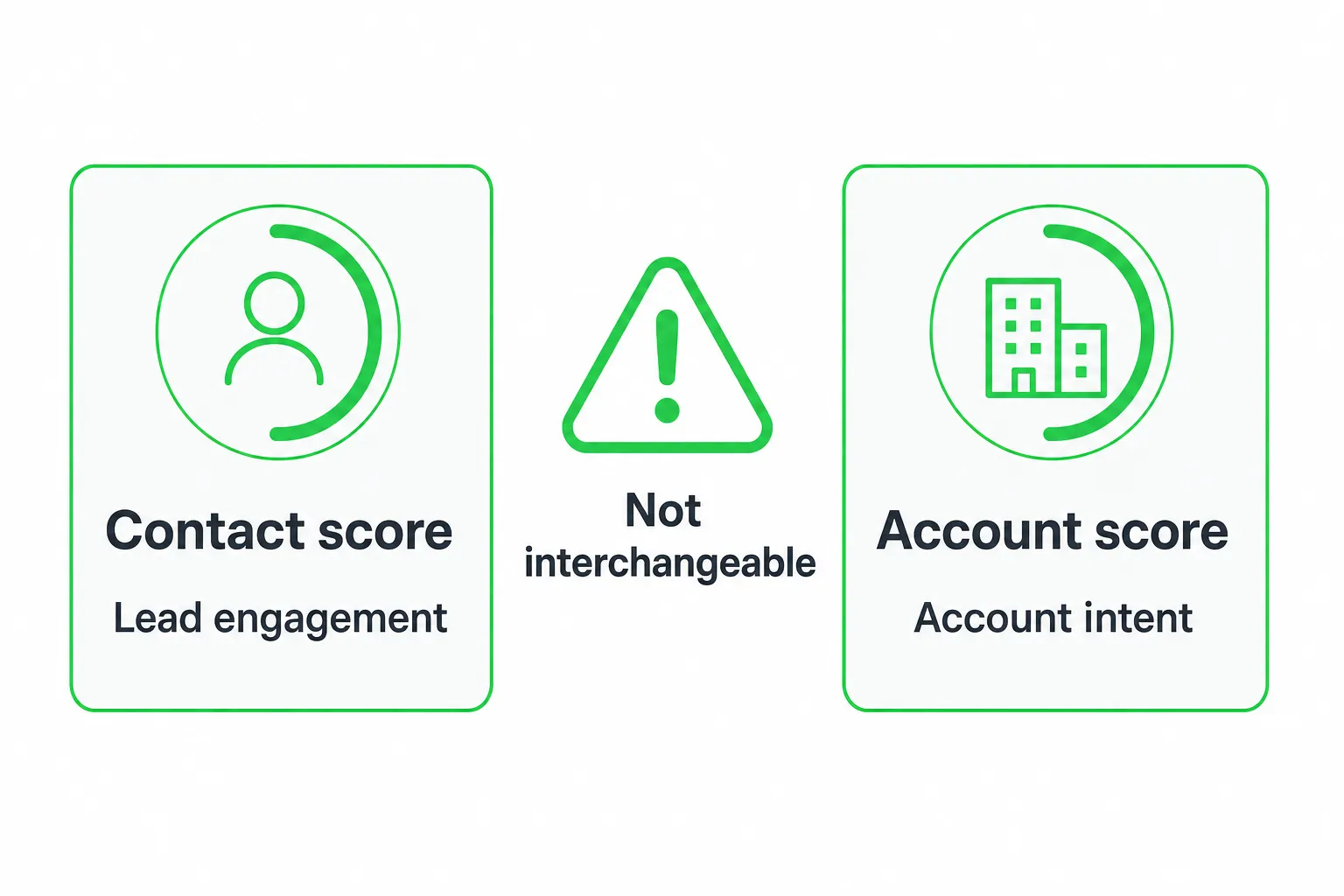
Contact-level engagement scoring ranks an individual’s activity. That may include email clicks, responses, registrations, or web-page views. 6sense documents individual lead scoring on a 0–100 scale and lists those activities among its inputs in 6sense Support.
Account-level predictive scoring evaluates a company or buying group. It can include account fit, technology, intent, and activity spread across multiple people.
Use contact scores for immediate follow-up and nurture decisions. Use account scores for territory planning, buying-group coverage, and deciding whether sales should pursue an organization.
Ask vendors whether they can associate multiple contacts with one account, prevent duplicate outreach, expose the reasons behind a score, and distinguish a high-intent person from an attractive account.
How to implement lead scoring without creating noise
- Define the model. Write down your ideal customer profile, buying signals, disqualifiers, lifecycle stages, score owner, and exact handoff condition.
- Separate fit and engagement. Keep the components visible before combining them. HubSpot supports separate engagement, fit, and combined scores, with workflow examples documented in HubSpot’s Knowledge Base.
- Test real records. Review accepted leads, rejected leads, missed opportunities, dormant contacts, and accounts with activity spread across several people.
- Set a review process. Revisit score decay, negative activity, model drift, new products, changing ideal customers, and sales feedback.
Keep the first version understandable. If sales cannot explain why a lead scored highly, adoption will suffer. A transparent model that prompts action is more useful than a complex model that becomes a static label.
Our recommendation and what to do next
Choose HubSpot for the clearest general-purpose starting point. Choose Salesforce Einstein when your Salesforce data meets its prerequisites. Choose 6sense when account-based intent is central to your revenue motion.
Choose Marketo Engage or ActiveCampaign when campaign automation is the center of your process. Choose LeadBoxer when visitor identification is the primary need. Choose OneUp Today when a small SaaS team wants scoring connected to approved outreach and website conversations.
Before booking a demo, export your required integrations, list the signals you need, document your minimum data history, define the score refresh expectation, and write the workflow that should fire after a score changes.
The best lead scoring software is the one your team trusts and uses. Pilot the leading option with real records, then judge it by prioritization, explainability, data coverage, sales adoption, and follow-up speed.
Next step: Create a one-page scoring brief today. Include your ideal customer, buying signals, disqualifiers, required integrations, refresh expectation, and owner for every score threshold.
Frequently asked questions
Can lead scoring software integrate with my existing CRM without custom development?
Yes, most lead scoring tools integrate with popular CRMs like Salesforce and HubSpot. For example, HubSpot and Salesforce Einstein offer native integrations, while 6sense requires more setup. Always verify the specific connector before purchasing.
How often should lead scores refresh for real-time sales prioritization?
Ideally, scores should refresh in real-time or near-real-time, such as every few minutes. HubSpot updates scores immediately upon activity, while some tools refresh daily. Faster refresh ensures sales acts on the latest intent signals.
What historical data does predictive lead scoring need to be accurate?
Predictive scoring typically needs at least 6-12 months of recent lead and conversion history. Salesforce Einstein, for instance, requires meaningful past data to train its model. Without enough history, rule-based scoring may work better.
Is lead scoring software useful for small teams with limited budget?
Yes, tools like OneUp Today and ActiveCampaign offer affordable plans for small SaaS teams. OneUp Today combines scoring with approved AI outreach and website capture. Start with a free trial to test fit before committing.
How does account-based lead scoring differ from contact-based scoring?
Account-based scoring prioritizes companies using intent, fit, and firmographic signals, while contact-based scores focus on individual engagement. 6sense excels at account-based scoring, whereas HubSpot is better for individual contact scoring tied to workflows.