
AI Chatbot vs Agent: Which Fits Your Website?
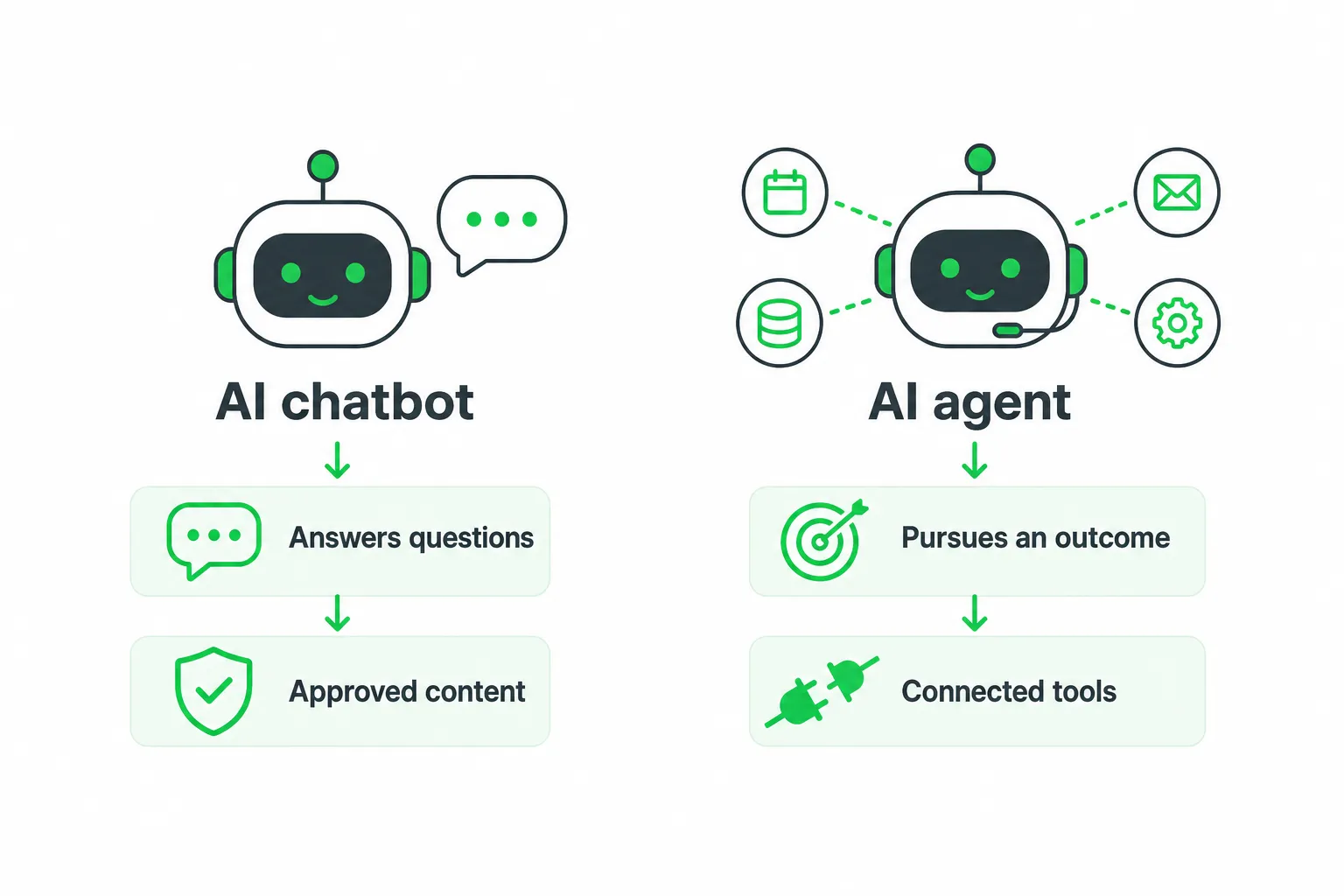
Choose an AI chatbot if your website mainly needs to answer questions, qualify visitors, capture leads, and hand promising conversations to a person. Choose an AI agent when the system must pursue a goal, use connected tools, make decisions, and complete several steps for the visitor.
The practical difference in AI chatbot vs agent is not whether the software uses AI. It is how much autonomy, context, tool access, and responsibility you are willing to give it.
Key takeaways
- Use a chatbot for website answers, lead capture, basic qualification, and human handoffs.
- Use an agent for connected workflows such as scheduling, CRM updates, account lookups, and support ticket creation.
- Start with the simplest system that solves the problem. Agent complexity brings more integrations, testing, monitoring, and oversight.
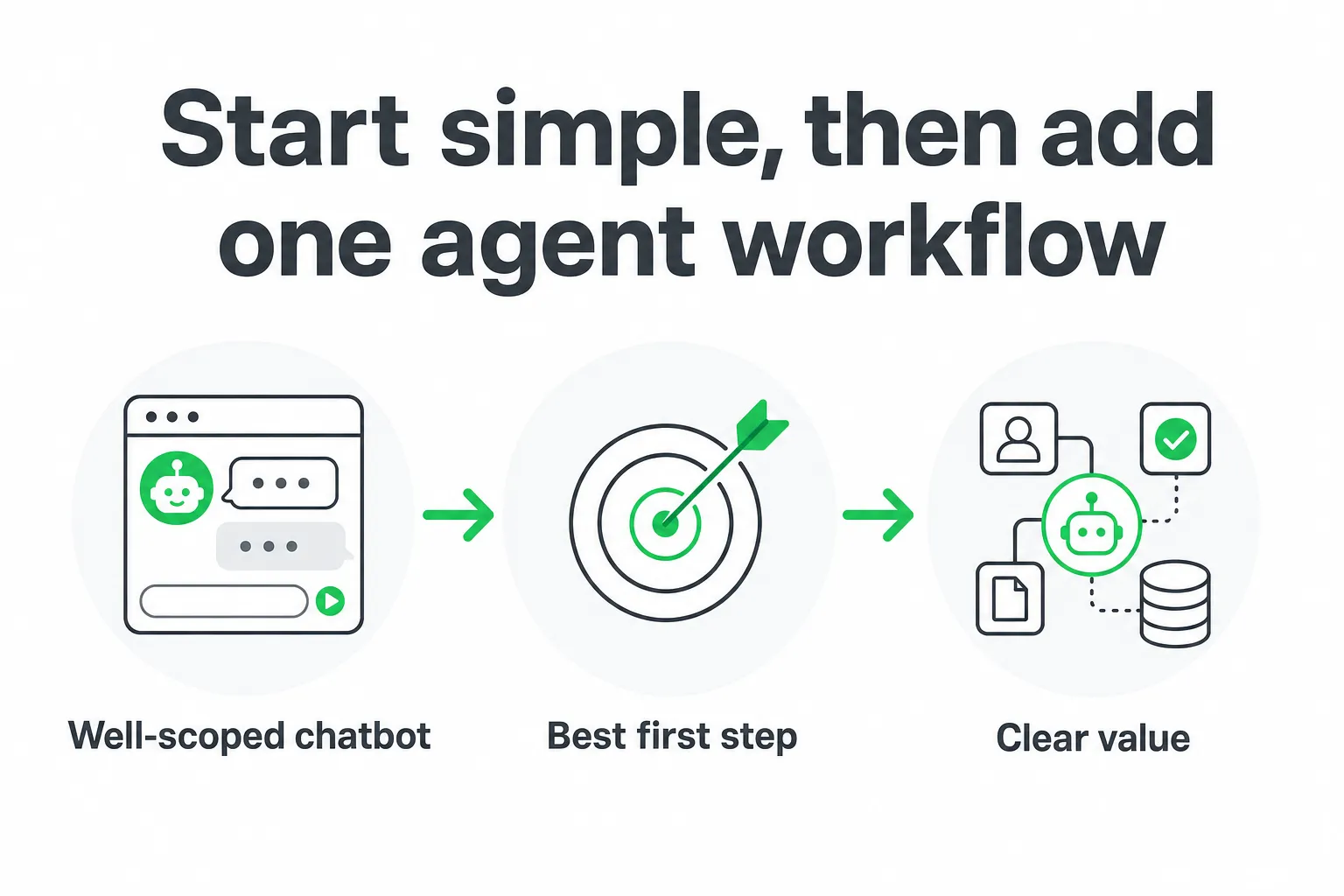
- For most commercial websites, a well-scoped chatbot is the best first step. Add one narrow agent workflow when the value is clear.
AI Chatbot vs Agent: The Short Answer
A website chatbot responds to a visitor. An AI agent works toward an outcome.
That means a chatbot can explain your pricing, recommend a relevant page, answer product questions, collect an email address, and alert your team when a visitor shows buying intent. It usually waits for the next question or instruction.
An agent can take the next step. It might check an account record, compare plans against business rules, book a meeting, create a support ticket, update a CRM, or route a qualified lead to the right person.
Choose a chatbot when your main problem is repetitive conversation. Consider an agent when your main problem is repetitive work across systems.
The distinction matters commercially. An agent may improve a complex customer journey, but it also requires more permissions, integrations, testing, and monitoring. Buying more autonomy than your website needs can create cost and risk without improving the visitor experience.
What Is an AI Chatbot?
An AI chatbot is a conversational interface that responds to visitor questions using approved content, instructions, and conversation context. On a website, it acts as a helpful front door to your product, service, or support team.
A chatbot can:
- Answer product, pricing, implementation, and policy questions.
- Guide visitors to relevant pages, features, documentation, or case studies.
- Handle basic support requests.
- Ask qualification questions and capture contact details.
- Recognize high-intent conversations and hand them to a human.
Not every chatbot works the same way:
- Rule-based bot: Follows decision trees and predefined replies.
- Retrieval-based chatbot: Finds relevant answers in approved pages, documents, or a knowledge base.
- Generative AI chatbot: Produces a natural-language answer from its instructions, retrieved context, and conversation history.
A generative chatbot is not automatically an agent. It can write a flexible answer while still having no ability to call a calendar, access a CRM, or take action outside the conversation.
Microsoft Copilot describes chatbots as primarily suited to simple question-and-answer interactions, while agents handle multi-step tasks, greater personalization, and more context. That is a useful buying test: ask whether you need a better answer or a completed task.
What Is an AI Agent?
An AI agent is a system given a goal. It can reason over context, choose among permitted actions, use connected tools, and continue through multiple steps toward an outcome.
A typical agent loop looks like this:
- Understand the visitor’s request and desired outcome.
- Plan the next action.
- Call an approved tool, such as a CRM, calendar, billing system, or help desk.
- Evaluate the result.
- Continue, ask for clarification, or request human approval.
- Report what happened and what comes next.
For example, a visitor could ask, “Can I move from the starter plan to the plan with SSO?” A chatbot can explain the plans. An agent could check the visitor’s account, confirm eligibility, calculate the permitted next step, create a request, and notify the correct team.
That extra capability depends on access. The agent needs reliable integrations, permission boundaries, business rules, and a way to recover when a tool fails or the visitor provides incomplete information.
Google Cloud distinguishes bots, assistants, and agents primarily by autonomy. Bots generally automate simple conversations, assistants respond to user requests, and agents can perform complex multi-step actions and make decisions independently.
Chatbot vs Agent: The Differences That Matter
| Decision area | AI chatbot | AI agent |
|---|---|---|
| Primary job | Answer questions and guide the visitor | Complete a goal through several actions |
| Knowledge and context | Approved website content and conversation history | Conversation history plus connected systems and live data |
| Tool access | Usually limited or not required | CRM, calendar, help desk, billing, database, or other permitted tools |
| Visitor control | Mostly user-led | Can recommend, decide, and continue a workflow when permitted |
| Implementation effort | Not published | Not published |
| Fully autonomous deployment context | Not published | 15% of surveyed IT application leaders were considering, piloting, or deploying fully autonomous agents |
The autonomy figure in the table comes from Gartner. It shows why “agent” should not automatically mean “fully autonomous.” You can use agent-style workflows with approvals and narrow permissions.
Conversation versus goal completion: A chatbot mainly responds to prompts. An agent works toward an outcome that may require several dependent actions.
Fixed knowledge versus tool access: A chatbot can answer from your pages. An agent can connect that answer to a CRM record, calendar, subscription, ticket, or internal database.
User-led versus proactive behavior: A chatbot generally waits for the visitor’s next message. An agent may recommend a next step, follow up, or continue a workflow when your rules allow it.
Control versus risk: Chatbots are easier to constrain and review. Agents need clearer permissions, fallback rules, monitoring, testing, and human approval for consequential actions.
Adoption data also points to a measured approach. Anthropic’s 2026 State of AI Agents report says 57% of surveyed organizations use agents for multi-stage workflows, while 16% use them for cross-functional or end-to-end processes spanning multiple teams or business functions. Those are materially different levels of complexity.
How to Choose for Your Website
Start with the job, not the product category. Write down what a visitor needs and what your team currently does after the conversation.
Use a chatbot when you need to:
- Answer questions from your website and product content.
- Reduce repetitive support conversations.
- Qualify interest with a few clear questions.
- Capture an email address or other lead details.
- Send high-intent or complicated conversations to a person.
Consider an agent when the workflow has a clear business goal, several dependent steps, reliable integrations, and enough value to justify additional oversight.
Score the proposed use case against five criteria:
- Task complexity: Is the visitor looking for information or a completed outcome?
- Required integrations: Must the system access a CRM, calendar, account, billing, or support platform?
- Cost of failure: What happens if the system gives a wrong recommendation or takes the wrong action?
- Proactive follow-up: Does the workflow need reminders, routing, or continued work after the chat?
- Human approval: Should a person review the final action before it affects a customer or business record?
IBM Think notes that agents can be more expensive and slower to deploy than assistants because they require additional design, testing, configuration, external integrations, and monitoring.
Commercial Website Use Cases and Tradeoffs
For a SaaS or service website, a chatbot is often enough to explain use cases, compare plans, answer implementation questions, qualify intent, capture contact details, and route hot conversations to a founder or sales representative.
OneUp Today fits this chatbot-first path by answering website visitors around the clock from your own pages, capturing leads, and handing hot conversations to you. That keeps the visitor experience immediate while preserving human judgment for the sales conversation.
An agent becomes more useful when the website must combine visitor context with connected systems. Good examples include:
- Recommending a plan based on stated requirements and account rules.
- Checking whether a customer has a feature or entitlement.
- Creating and categorizing a support ticket.
- Booking a meeting in the correct calendar.
- Creating a CRM record and routing it to the right salesperson.
- Coordinating follow-up across several approved steps.
Chatbot advantages: Faster deployment, simpler content governance, predictable handoffs, and lower operational risk.
Chatbot limitations: It may stop at the conversation boundary. Your team still needs to perform actions that require other systems.
Agent advantages: Deeper personalization, workflow completion, and fewer manual steps for qualified visitors.
Agent limitations: More integration work, more oversight, more ways to fail, and greater risk if the system has excessive permission.
Quality control matters for both options. At OneUp Today, the DM generator uses a hard validator that blocks 23 corporate buzzwords because prompting the model to avoid them was not enough. The broader lesson applies to website chat: explicit validation and review rules are stronger than hoping a model will consistently follow a preference.
A Safer Path from Chatbot to Agent
Treat autonomy as a spectrum, not a binary choice. Gartner reported that 75% of surveyed organizations were piloting, deploying, or had already deployed some form of AI agent in 2025, but only 15% of surveyed IT application leaders were considering, piloting, or deploying fully autonomous agents.
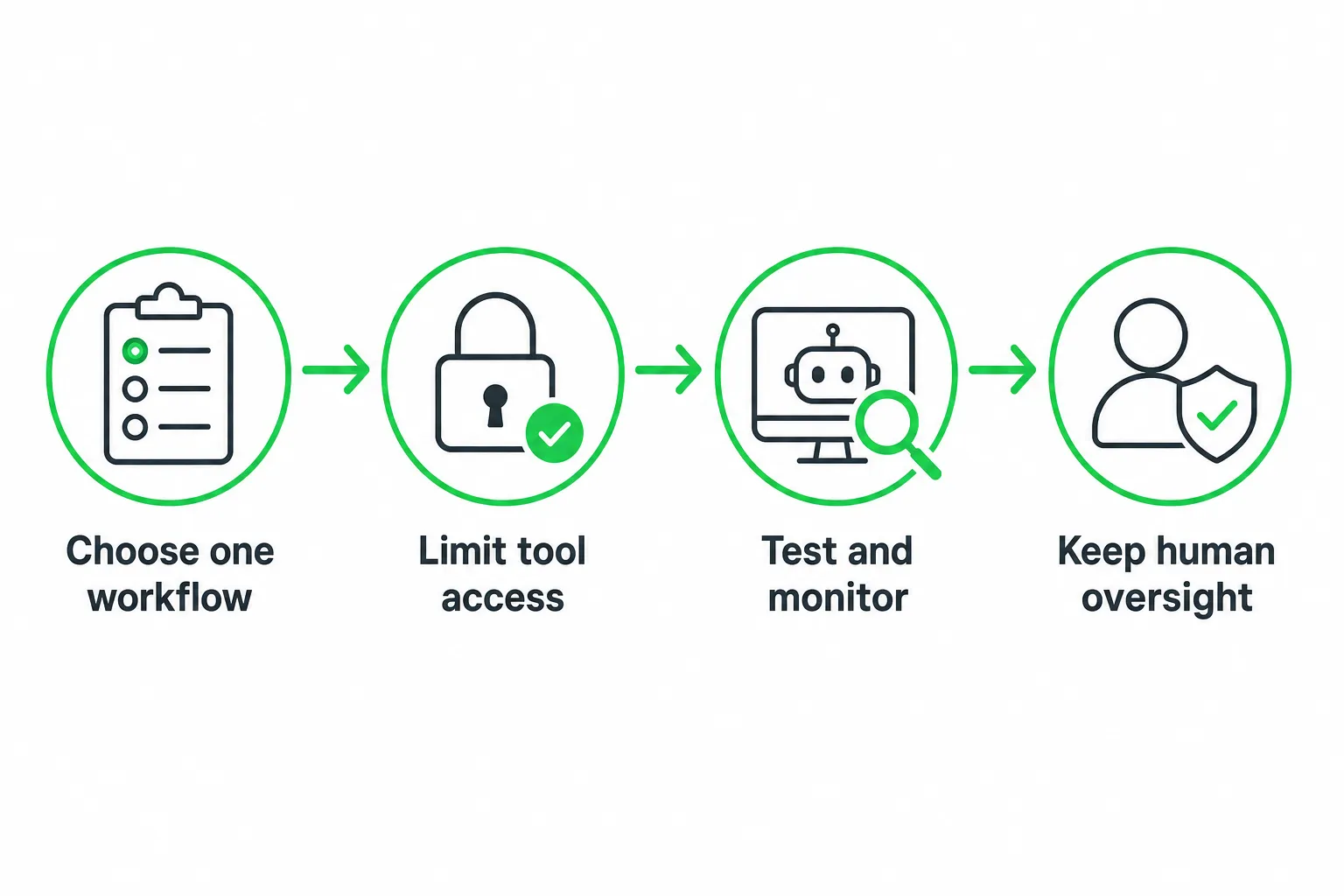
Use a staged rollout:
- Document the conversation: List common visitor questions, buying signals, handoff rules, and actions the system must never take without approval.
- Ground the chatbot: Connect it to current product, pricing, support, and policy content. Define how it should admit uncertainty.
- Review handoffs: Check whether high-intent visitors reach the right person with enough context to continue the conversation.
- Add one narrow workflow: Start with lead routing or meeting scheduling rather than broad autonomous control.
- Limit permissions: Give the workflow only the tools it needs. Log actions and require approval for consequential steps.
- Set a fallback: When data is missing, an integration fails, or the request is ambiguous, stop and involve a human.
This approach lets you prove value before taking on a larger agent architecture. It also gives your team a clear way to inspect answers, actions, and customer outcomes.
Which Should You Use and What to Do Next?
Use a website chatbot first if your immediate goal is to answer questions, capture leads, and surface conversations that deserve personal attention. Move toward an agent when a repeated, valuable workflow is clearly defined and requires several connected actions.
Before you buy, ask:
- What content can the system access?
- Which actions can it take?
- Where is human approval required?
- How does it handle inaccurate or missing information?
- Can your team review conversations, handoffs, and actions?
- What happens when an integration fails?
Start with one website conversation flow. Review the quality of answers and handoffs. Add agent-style actions only when the evidence shows that automation will improve the customer journey.
Next step: Write down your top visitor questions and one workflow your team repeats after a chat. If the first item dominates, choose a chatbot. If the second requires several reliable system actions, test a narrowly scoped agent with human approval.
Frequently asked questions
Can an AI chatbot become an AI agent?
Yes, a chatbot can become part of an AI agent when it gains access to approved tools and can use them to complete tasks. For example, a website assistant that only answers questions is a chatbot; one that can also book a meeting or update a CRM is acting as an agent.
Is ChatGPT an AI chatbot or an AI agent?
ChatGPT can function as either, depending on its setup and permissions. In a basic chat, it responds to prompts like a chatbot; when it can use connected tools to carry out a multi-step task, it can behave more like an agent.
Which is better for customer service, an AI chatbot or an AI agent?
A chatbot is usually better for common questions and straightforward support, while an agent is better when resolving an issue requires actions across connected systems. For instance, an agent might look up an order and create a ticket, but those capabilities require integrations and oversight.
Do AI agents replace chatbots?
No, AI agents do not replace chatbots in every situation. Chatbots remain a practical choice for answering questions, capturing leads, and handing conversations to staff, while agents add value when visitors need tasks completed across tools.