
AI Chatbot for Website: What to Look For
Key takeaways
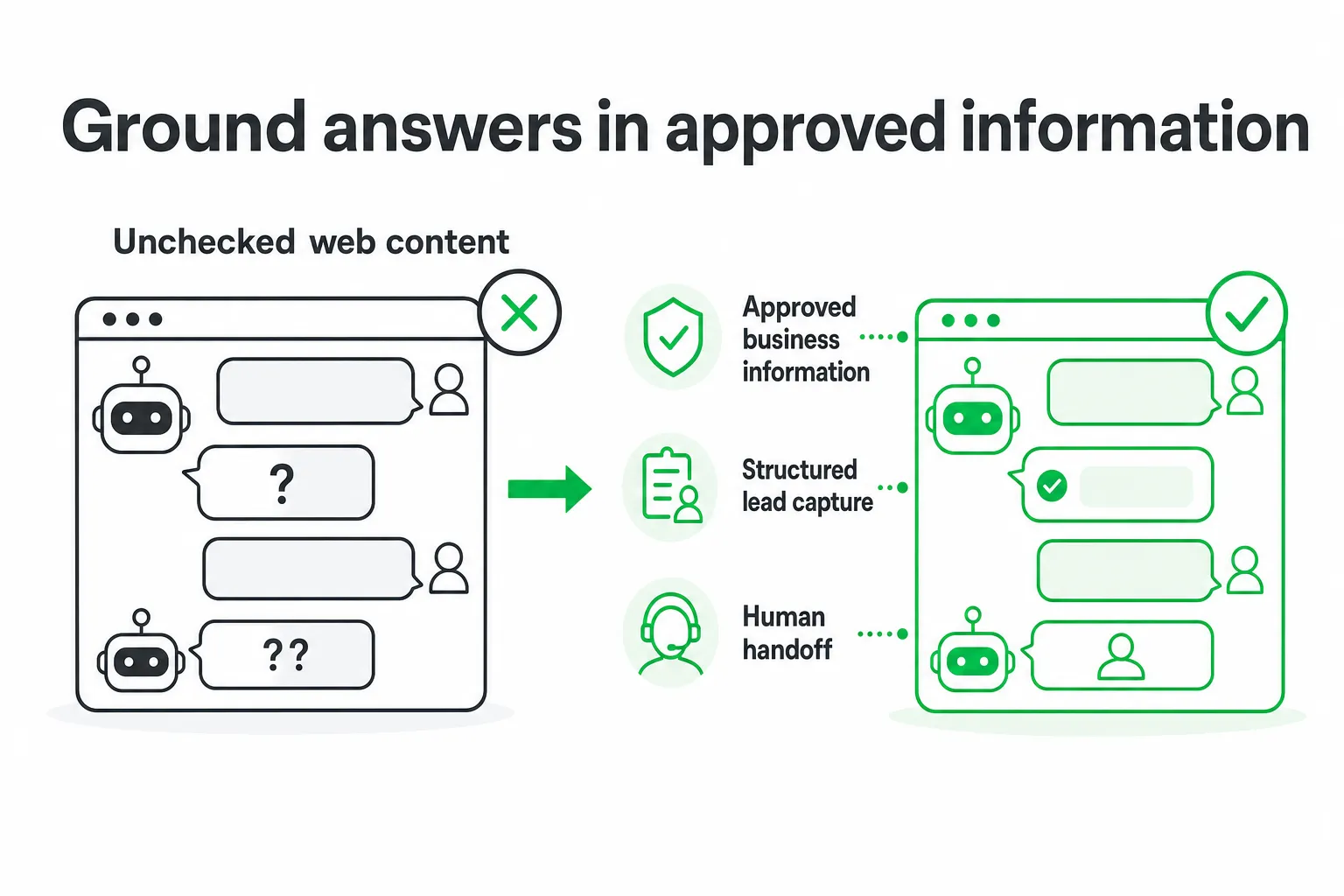
- Choose an AI chatbot for website use that answers from approved business information, not unchecked web content.
- Prioritize structured lead capture, qualification, analytics, and a fast human handoff.
- Compare pricing by expected visitor replies, conversations, contacts, seats, or usage before you commit.
- Test the chatbot with real product questions, pricing objections, edge cases, and requests that require a person.
The Best AI Chatbot for a Website Does More Than Answer Questions
The best AI chatbot for website use answers product questions, qualifies visitors, captures useful lead details, and routes high-intent conversations to a person. It should work from your approved business information, install without a long development project, and show whether chats create sales opportunities or reduce support work.
That distinction matters. A chatbot that produces fluent replies is not automatically useful. You need accurate answers, clear boundaries, structured lead records, measurable outcomes, and a handoff that does not make visitors repeat themselves.
Best fit for most SaaS teams: Start with a focused chatbot for pre-sales questions, lead qualification, support guidance, or booking requests. Expand its role only after you have reviewed real conversations and corrected weak answers.
Success looks like this: A visitor asks whether your product supports a specific workflow. The chatbot answers from your documentation, asks a relevant qualification question, collects contact details, and sends the conversation to the right person when the visitor needs a tailored response.
What an AI Website Chatbot Can Handle
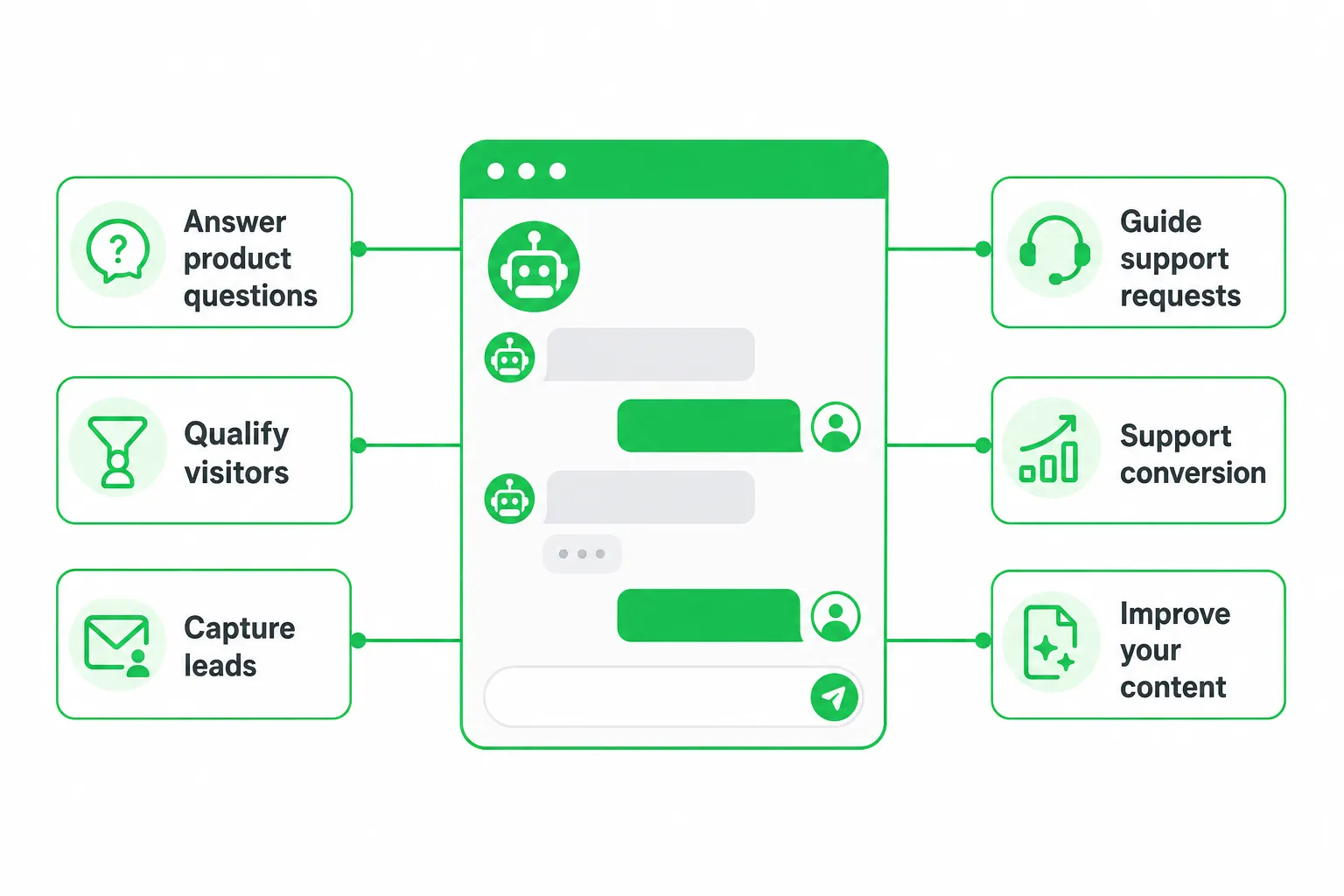
A website chatbot can become a first layer for sales and customer service. The quality depends on the information you provide, the questions it is allowed to ask, and the actions it can take after a conversation.
- Answer product questions: Explain features, pricing, integrations, implementation, security policies, and plan differences using your website, product details, documentation, and FAQs.
- Qualify visitors: Ask about company size, use case, timeline, current tools, or the problem the visitor wants to solve.
- Capture leads: Collect a name, email address, phone number, company, use case, and conversation summary instead of leaving your team with an unstructured transcript.
- Guide support requests: Point visitors to the right help article, explain next steps, and identify when a question needs human attention.
- Support conversion: Offer a contact action, meeting request, product demo, signup link, or relevant resource when the visitor is ready.
- Improve your content: Review repeated questions and unanswered requests to strengthen product pages, FAQs, onboarding, and sales enablement material.
Qualification prompt: Ask one useful question at a time. “What are you trying to automate?” is usually more helpful than presenting a long form before the visitor has received any value.
The Deployment Details Most Chatbot Comparisons Miss
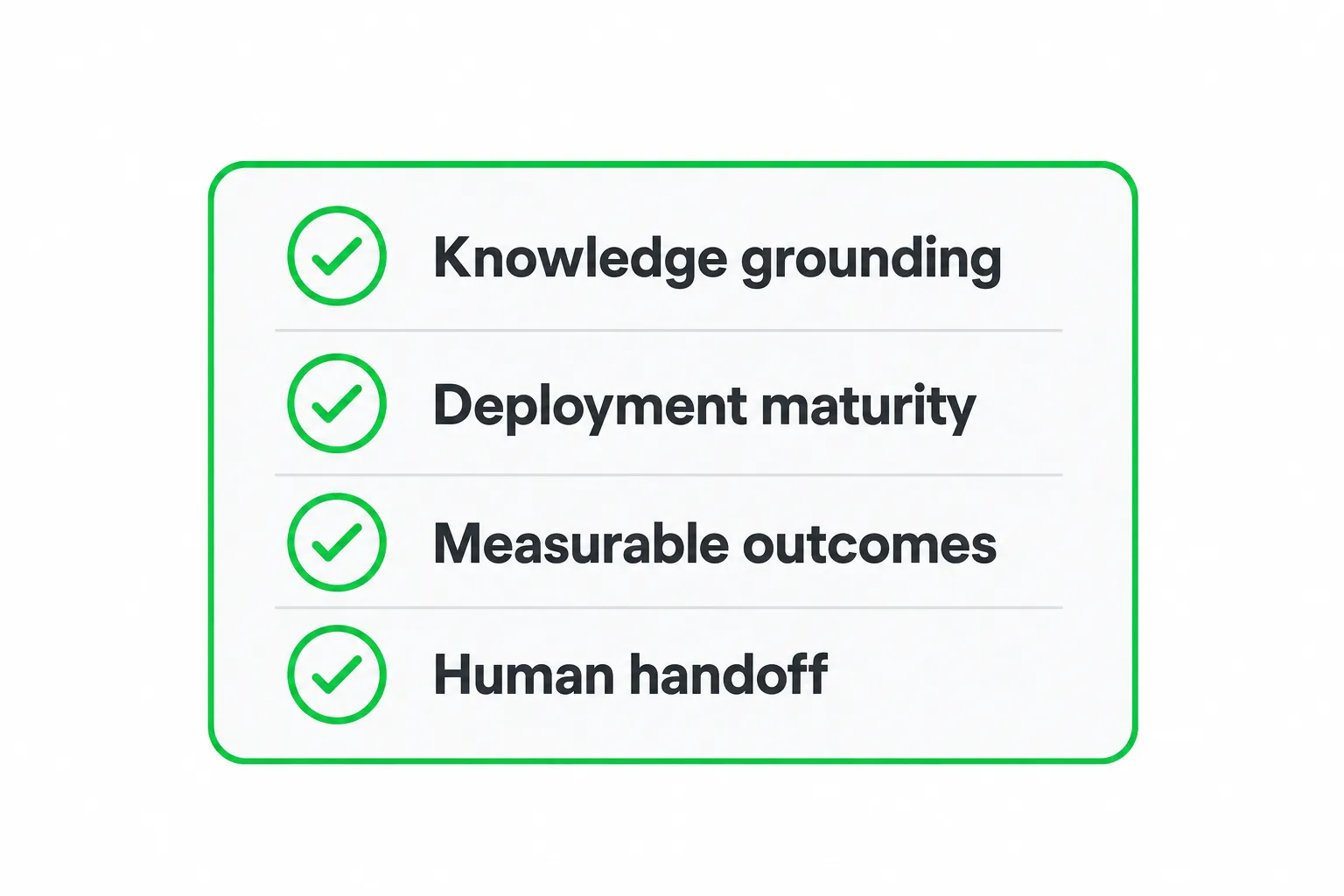
Feature lists do not tell you whether a chatbot is ready for real visitors. Before comparing vendors, inspect four areas: knowledge grounding, deployment maturity, measurable outcomes, and human handoff.
Knowledge grounding: Control the source
Your chatbot should answer from controlled information such as product details, a website crawl, and custom FAQs. It should not confidently invent an answer because a language model found something plausible on the open internet.
OneUp Today’s Front Desk uses those three knowledge sources: company product details, a crawl of your website, and custom FAQs. See the Front Desk knowledge sources.
Ask vendors how they handle outdated pages, conflicting documentation, missing answers, and content changes. You also need a visible fallback such as, “I do not have enough information to answer that, but I can connect you with the team.”
Deployment maturity: Look beyond adoption
Many companies are experimenting with AI, but experimentation is not the same as dependable deployment. Intercom’s 2026 Customer Service Transformation Report found that 82% of senior leaders invested in AI for customer service over the previous 12 months.
That makes vendor questions more useful than vendor promises. Ask who reviews failed answers, how often content is checked, what happens when the model is uncertain, and who owns escalation rules.
Measurable outcomes: Track service and revenue signals
Track resolution rate, escalation rate, unanswered-question rate, qualified leads, booked meetings, response quality, and assisted conversions. These metrics show whether the chatbot is helping or simply adding another inbox.
Intercom’s AI in Customer Service research reported improved service metrics for 62% of surveyed teams overall, compared with 87% among teams with mature AI deployments. The gap is a useful reminder: implementation quality affects results.
Human handoff: Preserve the context
A handoff should include the transcript, visitor details, qualification answers, and the reason for escalation. The visitor should not have to explain the same problem again.
OneUp Today’s Front Desk can capture a visitor’s name, email, phone, and company details, then hand the conversation to a human through its inbox. Review the Front Desk lead capture and handoff workflow.
How to Compare AI Chatbot Options
Different chatbot categories solve different problems. Use the table to narrow your shortlist, then test the actual product with your content and workflows.
| Option | Best for | Check before choosing |
|---|---|---|
| Support-first platform | Help-center answers, ticket deflection, routing, and agent workflows | Sales qualification, website conversion tools, and lead exports |
| Sales-first chatbot | Qualification, routing, meeting booking, and CRM workflows | Whether answers stay grounded in current product documentation |
| All-in-one marketing platform | Chat, forms, email, automation, and campaign workflows | Training simplicity, answer control, and usage-based cost growth |
| Custom or developer-led build | Control over models, data, integrations, and user experience | Monitoring, guardrails, maintenance, analytics, and human escalation |
Support-first: Choose this route when reducing repetitive service work is the main goal. Confirm that your sales team can still see qualified conversations and act on them.
Sales-first: Choose it when your website receives visitors with clear buying intent. Verify that the bot can answer detailed product questions instead of pushing every visitor straight to a booking form.
All-in-one: This can reduce the number of systems you manage. It can also make chatbot configuration harder if the product treats chat as a small feature inside a large marketing suite.
Custom build: This gives you flexibility, but you take responsibility for testing, content updates, security decisions, monitoring, analytics, and fallback behavior.
Pricing Models, Pros, and Tradeoffs
Chatbot pricing can look simple until you map it to actual usage. Compare subscription, seat-based, contact-based, conversation-based, and usage-based pricing against your expected visitor and reply volume.
- Subscription pricing: Easy to budget, but you may pay for capacity or features you do not use.
- Seat-based pricing: Works for support teams with several human agents, but costs can rise as more people need access.
- Contact-based pricing: Fits systems built around marketing databases, but anonymous website visitors and duplicate contacts need careful review.
- Conversation-based pricing: Aligns cost with chat activity, but you must define what starts and ends a conversation.
- Usage-based pricing: Makes small tests easier and ties spend to activity, but high visitor volume can require close monitoring.
Ask what counts as a billable conversation. Check whether human-handled chats, repeat visitors, knowledge ingestion, analytics, CRM integrations, and handoff tools cost extra.
OneUp Today says Front Desk starts with a $3 credit and charges $0.01 per visitor reply. See OneUp Today Front Desk pricing. A reply-based model can make an early test easier to evaluate because you can connect cost directly to actual chatbot activity.
Do not optimize for the cheapest chat. Optimize for cost per qualified conversation, cost per resolved request, and the value of meetings or signups assisted by the chatbot.
How to Add an AI Chatbot to Your Website
Deploying a chatbot is a workflow project, not just a widget installation. Follow these steps before giving it responsibility for important customer conversations.
- Define the first use case. Choose one priority: answer pre-sales questions, qualify leads, resolve common support requests, book calls, or direct visitors to the right resource.
- Prepare your source material. Review product pages, pricing, documentation, policies, FAQs, and the questions your sales and support teams answer repeatedly. Remove outdated or contradictory information.
- Set answer boundaries. Write fallback language for unknown questions. Specify which topics require a human, such as account-specific billing, contracts, refunds, security reviews, or unusual implementation requests.
- Configure lead questions. Decide which details matter to your team. Ask only for information that changes routing or follow-up, then store the answers with the transcript.
- Set routing and notifications. Define who receives high-intent conversations, what triggers an alert, and what information appears in the handoff.
- Install and test. OneUp Today says Front Desk installs with one line of code and works with WordPress, Webflow, Framer, Next.js, and plain HTML sites. Review the Front Desk installation details.
- Monitor before expanding. Test real product questions, pricing objections, misspellings, unsupported requests, and questions that require a person. Review incorrect answers and update the source content.
Testing checklist: Ask the chatbot the same question in different ways. Test whether it distinguishes plans, refuses unsupported claims, captures the right lead details, and preserves context during handoff.
A Practical Recommendation for SaaS and Small Teams
Choose a grounded, lead-focused chatbot when your priority is turning website conversations into actionable contacts rather than displaying a generic AI assistant. The strongest option is not necessarily the platform with the longest feature list. It is the one your team can train, monitor, and trust.
OneUp Today is worth considering when you want a website chatbot that answers from your own content, captures lead details, and hands hot conversations to a human through one inbox. Explore OneUp Today Front Desk.
Run a short test before committing. Use real product questions, edge cases, pricing objections, and requests that require a human. Review answer accuracy, lead quality, handoff speed, and total cost.
Start with a limited set of high-intent pages and questions. Expand only after the chatbot demonstrates reliable answers and produces leads your team can act on.
Frequently asked questions
How do I add an AI chatbot to my website?
You can add an AI chatbot by choosing a platform, connecting your approved business information, and installing its website widget or embed code. Test the chatbot on your site before launch to confirm it displays correctly on desktop and mobile and routes visitors to the right next step.
Can an AI chatbot for a website answer questions when my team is offline?
Yes, an AI chatbot can answer common questions outside business hours using the information you have approved. For account-specific, sensitive, or uncertain requests, configure it to collect contact details and explain when a person will follow up rather than guessing.
How much does an AI chatbot for a website cost?
AI chatbot pricing varies by vendor and plan, so there is no single standard cost. Check whether charges depend on conversations, visitor replies, contacts, seats, or usage, then estimate your likely volume and review limits before choosing a plan.
How can I tell whether an AI chatbot is giving accurate answers?
You can assess accuracy by testing the chatbot with real product questions, pricing objections, edge cases, and questions it should not answer. Compare its replies with approved company information, record incorrect or unsupported answers, and correct the source content or response rules before expanding its role.